

Developer notes
Take JSON into YAML, CSV, JSON Lines and TypeScript.
Convert JSON locally, keep CSV identifiers as strings, review spreadsheet formula protection, and generate sample types and schemas.
By KeepSimp 5 min read
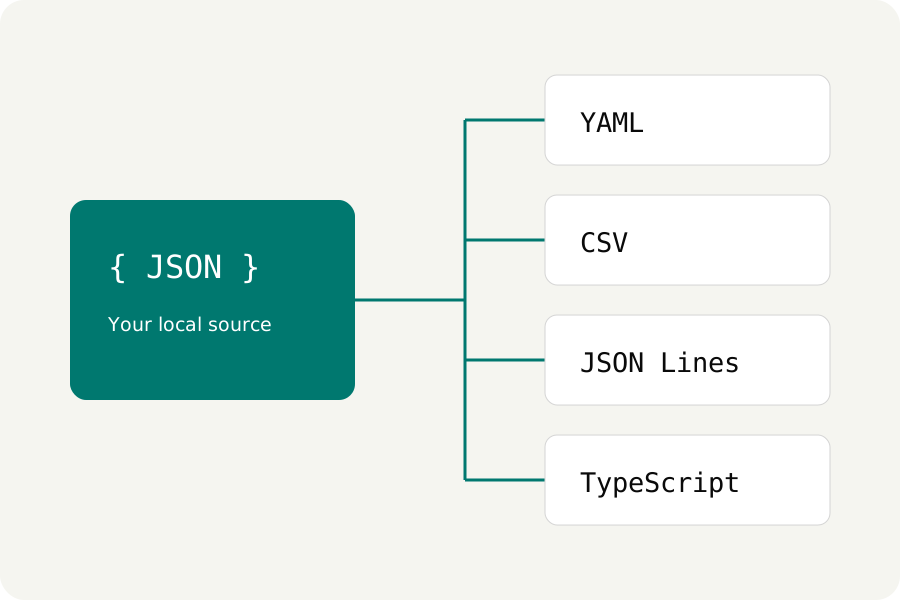
A format change needs clear rules. CSV has rows and columns, YAML has features JSON cannot express, and a TypeScript definition describes a shape rather than storing your values. The Convert workflow makes those choices explicit and produces a separate downloadable result.
Move between JSON and a supported YAML subset.
Choose JSON → YAML or YAML → JSON, then Convert document. JSON export quotes property names and strings to avoid implicit YAML type changes, preserving original numeric tokens. YAML import handles scalar values, arrays and mappings with string keys; integer values use an exact representation before JSON is written.
Aliases, merge keys, custom tags, non-string keys and non-finite numbers are rejected. Expand or convert those YAML features first. Duplicate keys also need attention. These restrictions make the conversion predictable; they do not imply that every YAML file is equivalent to JSON.
Turn arrays of objects into CSV rows.
JSON → CSV expects an array of objects. The export gathers their property names into columns; missing properties become empty cells, and nested values become JSON text inside a cell. Quotes, commas and line breaks are escaped by the CSV library. Table view shows the first 100 rows; a CSV download contains all accepted rows.
CSV → JSON uses a comma delimiter and the first row as unique, non-empty headers. Each cell remains a string, so 0001 does not become 1 and a date is not guessed. Rows must have the header's column count. Up to 200 columns and 100,000 rows are accepted, within the shared document limits.
id,name
0001,"Ada, editor"
0002,Lin
Review formula protection before spreadsheet use.
Protect spreadsheet formulas is enabled by default for CSV export. It prefixes an apostrophe to cells starting with a formula trigger such as =, +, -, @, tab or carriage return. This changes the exported cell text. It helps keep untrusted content from being interpreted as a formula, but CSV handling varies across spreadsheet apps and is not a universal guarantee.
Keep protection enabled for untrusted text and inspect the file in its destination. Turn it off only when you need the original cell text and understand how that destination interprets it. Nested JSON values are serialized as text; importing the CSV does not automatically restore nested objects, booleans or numbers.
Export records or a starting definition.
JSON → JSON Lines writes each item of a JSON array as one compact JSON record on its own line. JSON Lines → JSON reads non-empty lines into an array and reports the record that fails validation. Blank lines are ignored. A JSON Lines file does not have a surrounding array or commas between records.
JSON → TypeScript generates an exported type with a name you choose, quoted property names and union types for mixed arrays. JSON → JSON Schema produces a 2020-12 starting schema. Both describe the observed sample and require review for optional fields, unknown values and application rules. These operations generate text; they do not execute it.
Further reading
Topics: JSON to YAML · JSON to CSV · JSON to TypeScript · JSON Lines · convert JSON online
A little less theory. A little more doing.
Try it on your own terms, with a free browser tool.
Try the tool