

A little know-how
Every video, as loud as the next.
Set a video's sound to −14, −16 or −23 LUFS in your browser, measured by BS.1770 as streaming services and broadcasters measure it, its peaks held under −1 dBTP. The picture is not touched.
By KeepSimp 3 min read
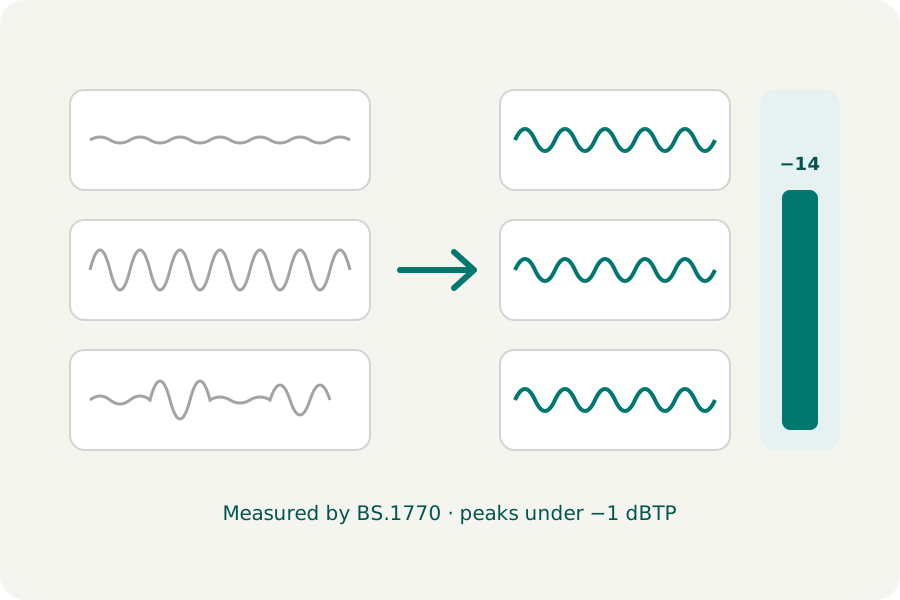
A phone recording is too quiet next to a screen capture; one clip in a course is louder than the rest. Turning the volume up by ear is guesswork, and too far makes the sound crackle. KeepSimp measures each video's sound as streaming services and broadcasters do, and sets it to a loudness, on your device.
Loudness, not volume.
Loudness is measured in LUFS, by the method of ITU-R BS.1770: it weighs the sound as the ear hears it and leaves out the silences, so a quiet talk and a loud song can be set to sound alike. Spotify plays music at −14 LUFS, Apple Podcasts asks for −16, and Europe's broadcasters for −23 (EBU R 128).
Making a sound louder can push its loudest moments past what a file can hold. A true-peak limiter turns just those moments down, smoothly, so the peaks stay under −1 dBTP and nothing crackles.
How to do it.
Open the video editor, drop your videos and choose a loudness under Sound and details. Each sound is measured as it will be written, after any trim, speed change or fade, then made louder or quieter, and the result is measured again. The page says how much it was changed, how loud it came out and whether the limiter had to work.
Only the sound is encoded again; the picture is copied as it is when nothing else changes it.
What it cannot do.
A sound more than 30 dB too quiet is raised 30 dB, the most done here, and stays under the target; the page says so. Setting loudness evens out videos against each other, not loud and quiet moments within one: speech recorded far from the microphone stays far away.
Further reading
- ITU-R BS.1770: algorithms to measure audio programme loudness and true-peak audio level (opens in a new tab)
- Spotify for Artists: loudness normalization (opens in a new tab)
- Apple Podcasts: audio requirements (opens in a new tab)
- EBU R 128: loudness normalisation and permitted maximum level of audio signals (opens in a new tab)
Topics: make video louder · normalize video audio · video loudness · LUFS video · increase video volume
A little less theory. A little more doing.
Try it on your own terms, with a free browser tool.
Try the tool