

Opening CSV and Excel files in your browser.
See, sort, find and change the rows of CSV and Excel files in your browser, then save them as CSV or Excel, with nothing uploaded.
By Suraj Kumar2 min read
Not everyone has Excel, and not every CSV should be uploaded to a website to be read.
Open it.
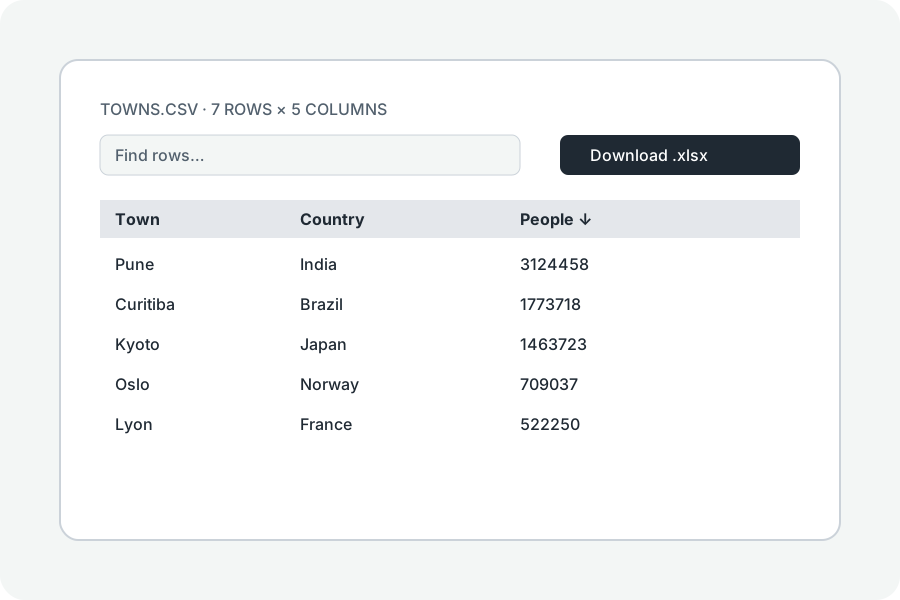
A CSV, a TSV or an Excel workbook opens as a table; every sheet of a workbook is there, numbers and dates shown as Excel shows them.
Sort, find, change.
Press a column's letter to sort by it, type words to find rows, and double-click a cell to change it.
Save it.
Download as CSV or as an Excel workbook; each is read back before it is offered.
Further reading
Topics: csv viewer · excel viewer · open csv online · open xlsx without excel · spreadsheet viewer
A little less theory. A little more doing.
Try it on your own terms, with a free browser tool.
Try the tool