

Images
The subject, and nothing behind it.
Remove the background from a photo in your browser: clean edges around hair and fur, a clear PNG, a white background for shops, a blur or a photo behind. Free, with no uploads.
By KeepSimp 5 min read
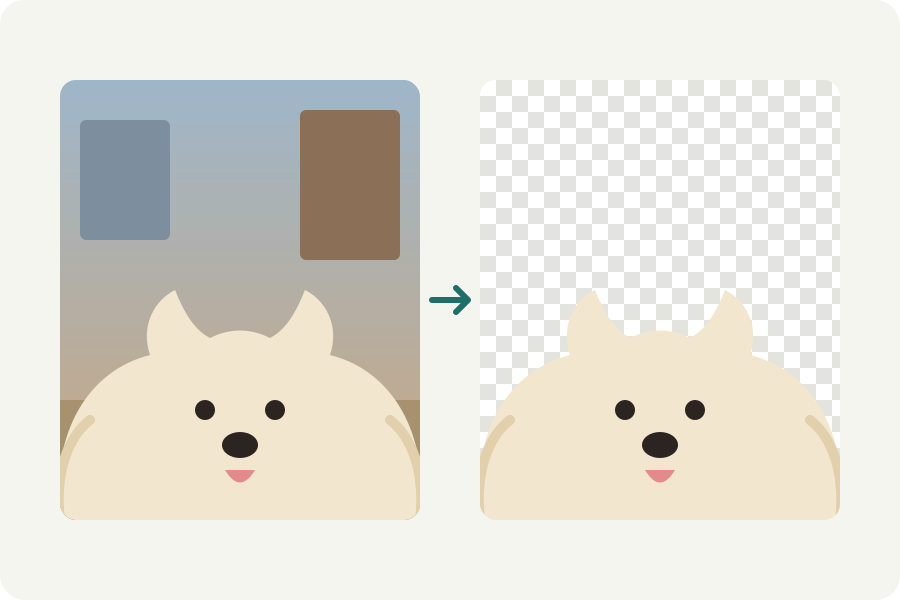
A see-through PNG for a slide, a white background for a shop, a cleaner profile picture: taking a background out used to mean an evening with a selection tool. The KeepSimp background remover does it in a few seconds in your browser, and your photos never leave your device.
How the subject is found.
A model looks at the photo and decides, for every pixel, how much of it belongs to what is in front. KeepSimp uses BiRefNet, an open model made for exactly this, in its light version so that it runs in a browser. It sees the photo at 512 by 512 pixels.
A mask made at that size would be soft at the edges of a large photo, so it is then fitted to the photo's own edges at full size with a guided filter: where the photo has an edge, the mask follows it.
Hair and fur are partly see-through, and their pixels hold some of the old background's colour. Cut out as they are, they leave a halo. The remover works out the colour of the subject itself in those pixels and takes the old background's colour out, so the edge looks right on any new background.
Take a background out in three steps.
Drop a photo, or many at once. The first time, the model is loaded from this site, about 94 MB, and kept, so after that it starts at once and works offline.
Drag the handle across the picture to compare it with the photo as it was. Then choose what goes behind and how it is framed: these change at once, because the subject is not looked for again.
Download it as PNG, WebP or JPEG, copy it to paste into a document or a chat, or download every photo as one ZIP.
Clear, white, blurred or another photo.
Clear leaves the background see-through, for putting the subject on a slide, a poster or a design. Save it as PNG or WebP; JPEG cannot be see-through, so a clear background becomes white in it.
A colour suits shops and documents: many marketplaces ask for a plain white background for the main picture of a product. Blurred puts the photo's own background back, softened, as a portrait lens would. Photo puts any picture of yours behind the subject.
Cut down to the subject, or a square.
Around the subject crops the result to what is in front, with as much room around it as you choose. Square puts the subject in the middle of a square, which is what most shops and profile pictures want.
Nothing is made larger or smaller when it is framed, so no detail is lost or invented. A photo larger than 4096 pixels on its longer side is made that size first, and the page says so.
Touch up what the model missed.
Press Touch up. Click on something that should not be there, a lamp post or a second person, and it is taken away; switch to Keep and click on a part that was lost to bring it back. The click is answered by SlimSAM, a small open model that runs on your device too, and the edge of what it chooses is fitted to the photo.
For the fine parts, paint with the brush. With Follow edges on, it holds to colours like the one under its middle, so painting along a sleeve does not take the background with it. Every click and stroke is a step you can undo.
What it can get wrong.
The model decides what the subject is by looking. With several things in front, it may keep one you did not want or leave out a part of one you did. A subject that is the same colour as what stands behind it, glass, smoke and fine netting are hard for every tool of this kind.
Compare before you download, and touch up what is wrong. A photo where the subject stands out is the easiest: light from the front and a background a little further away both help.
Why it matters that nothing is uploaded.
Most background removers send your photo to a server. Photos of people, children, homes and documents are worth keeping to yourself. Here the model runs in your browser, on the graphics card where the browser allows it and on the processor otherwise, and the page says which.
Further reading
- Zheng et al.: Bilateral Reference for High-Resolution Dichotomous Image Segmentation (BiRefNet) (opens in a new tab)
- Chen et al.: SlimSAM, 0.1% Data Makes Segment Anything Slim (opens in a new tab)
- He, Sun and Tang: Guided Image Filtering (opens in a new tab)
- Forte: Approximate Fast Foreground Colour Estimation (opens in a new tab)
- ONNX Runtime Web (opens in a new tab)
Topics: remove background · background remover · transparent background · remove background from image · white background for product photos · remove background free · cut out a photo · no upload
A little less theory. A little more doing.
Try it on your own terms, with a free browser tool.
Try the tool