

A little know-how
The right name on every song, the sound left alone.
Change the title, artist, album, track number, lyrics and cover of MP3, M4A, FLAC, Ogg, Opus and WAV files in your browser, many at once, without encoding the sound again. Nothing is uploaded.
By KeepSimp 4 min read
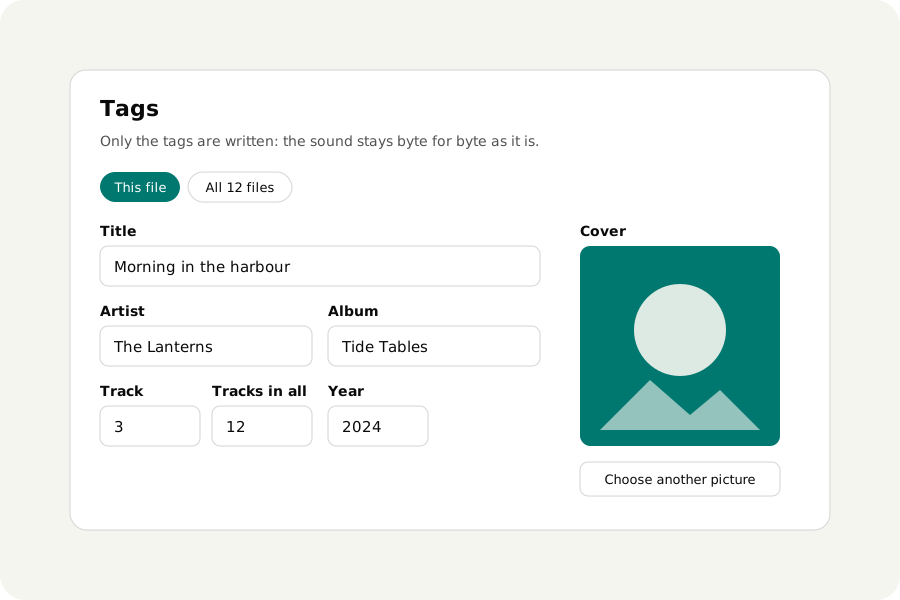
A song called Track 01 by Unknown artist, an album with no cover, a podcast episode with last week's title. Tags are a small part at the start or end of a file, so changing them should not mean writing the sound again; here it does not, and the files never leave your device.
How to change the tags.
Open Edit audio tags and drop your files. Type in the fields of one file, or choose All files to give a whole album one artist and title at once; fields that differ between files say so and are left as each has them until you type. Choose a picture for the cover, then download each file, or all of them as a ZIP.
Why the sound is not touched.
Each kind of file keeps its tags in its own place: ID3 at the start of an MP3, an item list inside an M4A, comment and picture blocks at the start of a FLAC, a comment header in an Ogg or Opus file, and INFO and id3 chunks in a WAV. Only that part is written. The sound is byte for byte as it was, so nothing is lost, and the page listens to every result before you download it.
Every tag you do not change stays as it was, including those this page does not show, such as chapters, ReplayGain or an encoder's notes. A field you empty is taken out.
Many files, one album.
Choose All files and what you type goes into every file. Give each its own track number afterwards, one file at a time, or leave the numbers they have.
On your device.
Files are read and written in your browser and never uploaded. There is no account and no limit on how many you change.
Further reading
Topics: edit mp3 tags · mp3 tag editor online · add album art to mp3 · change song title · id3 tag editor · edit flac tags · edit m4a metadata
A little less theory. A little more doing.
Try it on your own terms, with a free browser tool.
Try the tool