

A little know-how
Louder, without the crackle.
Make a quiet recording, song or video's sound louder in your browser. Why turning it up can make it crackle, and how a limiter stops that. Nothing is uploaded.
By KeepSimp 3 min read
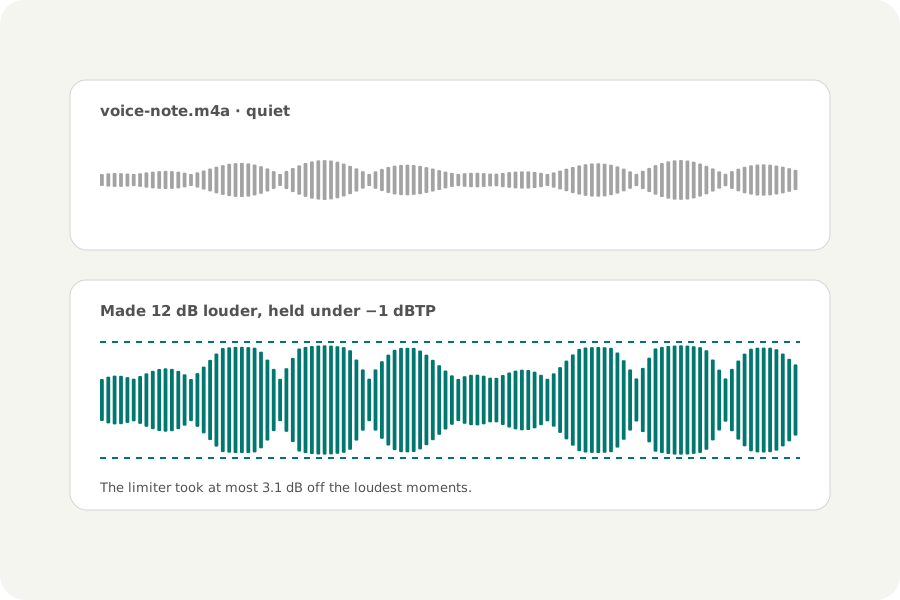
A voice note recorded across the room, a lecture from the back row, a song that was mastered quietly. Turning the volume up on the phone only goes so far; making the file itself louder fixes it everywhere it is played.
Why louder can crackle.
A digital file cannot go above full scale. Make a sound louder and its loudest moments reach that limit and are cut flat, which you hear as crackling or distortion: clipping. Most of a recording may have room to spare while a few moments, a laugh, a cough, a drum, do not.
A limiter lowers only the loudest moments.
The Volume booster makes the whole file louder by the decibels you choose and, looking 5 ms ahead, lowers the gain smoothly for the moments that would go over the ceiling, then lets it rise again over a tenth of a second. Everything else is simply louder. The page says how much louder the file was made and how much the limiter took off.
6 dB doubles the height of the waveform; 10 dB sounds about twice as loud. To bring several files to the same loudness instead, normalize them.
On your device.
Files are read and written in your browser and never uploaded, and each one is opened again and measured before you download it.
Further reading
Topics: volume booster · increase audio volume · make mp3 louder · amplify audio · boost quiet recording · audio clipping · make voice recording louder
A little less theory. A little more doing.
Try it on your own terms, with a free browser tool.
Try the tool