

A little know-how
The words kept, the noise left behind.
Take hiss, fans, traffic, mains hum, clicks and harsh "s" sounds out of voice recordings in your browser, with RNNoise running on your device. Nothing is uploaded.
By KeepSimp 4 min read
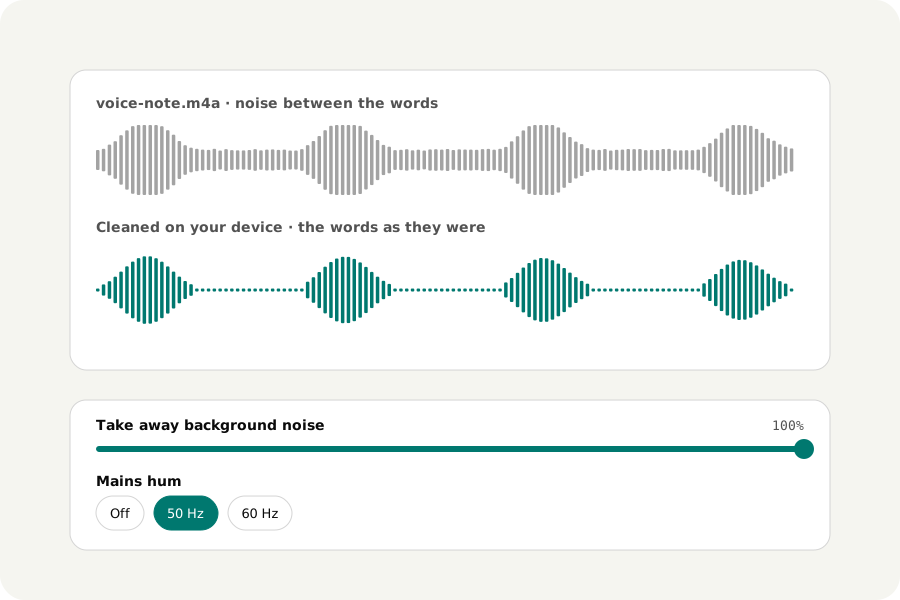
A voice note by a busy road, an interview with a fan behind it, a podcast with a buzz from a cable. Most noise removers upload the recording; this one runs a small neural network made for speech in your browser, so the recording and its noise stay on your device.
How to take the noise out.
Open Remove background noise and drop your recordings. All of the noise RNNoise finds is taken away at first; lower the strength if voices start to sound thin or watery. Turn on hum removal, clicks or the de-esser if the recording needs them, listen to the result, and download it in its own format or another.
A network that knows what speech sounds like.
RNNoise, made by Jean-Marc Valin at Xiph.org and Mozilla, listens to the sound ten milliseconds at a time and judges, band by band, how much of it is voice. What is not is turned down. It was trained on speech, so it is best at voices: on music it can take away notes and breaths you want, and the page says so. The strength mixes its result with the sound as it was.
Its file is 3.1 MB to download. It comes from this site the first time you use it and is then kept, so it works offline after that.
Hum, clicks and harsh s.
Mains hum is a steady buzz at 50 Hz (60 Hz in the Americas and parts of Asia) and its harmonics. Each is taken out with a notch 3 Hz wide, so the voice beside it is left as it was.
Clicks are short spikes, far louder than the sound just around them. Each is drawn over with a smooth curve, and the page says how many there were; drum hits and consonants last longer and are left alone. The de-esser turns down only the sound over 5 kHz, and only while it is too loud, as in a sharp s.
On your device.
Files are read, cleaned and written in your browser and never uploaded. Nothing about the noise is sent anywhere, there is no account and no limit on how many you clean.
Further reading
Topics: remove background noise from audio · noise reduction · denoise audio online · remove hum from audio · remove clicks from audio · de-esser · RNNoise
A little less theory. A little more doing.
Try it on your own terms, with a free browser tool.
Try the tool