

A little know-how
Faster or slower, and still in tune.
Change a video's speed from half to twice as fast in your browser, the sound stretched so its pitch stays the same. Nothing is uploaded.
By KeepSimp 3 min read
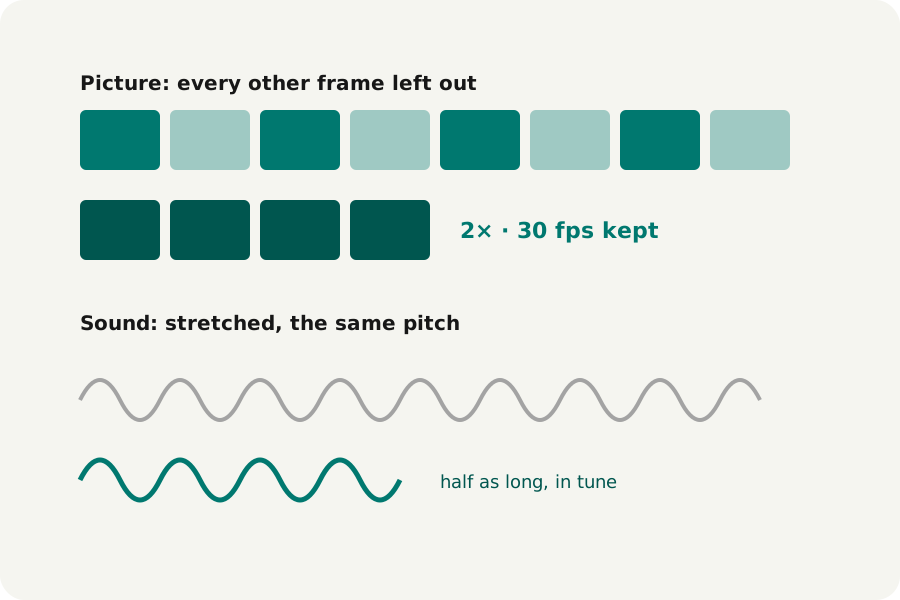
A long screen recording is quicker to watch at 1.5 times; a moment is clearer at half speed. Changing speed by playing samples faster raises the pitch, and voices sound like cartoons. KeepSimp stretches the sound instead, so it keeps its pitch, and does it all on your device.
The picture: frames left out or held longer.
Faster keeps the frame rate: at twice the speed, every other frame is left out, so a 30 fps video stays 30 fps and lasts half as long. Slower plays every frame for longer: at half speed a 30 fps video has 15 frames a second, as no frames are made up between them.
The sound: stretched, not sped up.
The sound goes through the audio editor's own engine, which cuts it into short overlapping pieces and lays them closer together or further apart (WSOLA), so the length changes and the pitch does not. It works best on speech and steady music; very fast or very slow settings can make music sound a little rough.
Speeds from half to twice are offered, the range the stretcher keeps clean. The sound always lasts exactly as long as the picture.
How to do it.
Open Change video speed and drop your videos: twice as fast is chosen to start with. Choose the speed, add a fade in or out if you like, and each video is written, checked and offered for download. Picture and sound are both encoded again.
Further reading
Topics: speed up video · slow down video · change video speed · slow motion · video speed without chipmunk voice
A little less theory. A little more doing.
Try it on your own terms, with a free browser tool.
Try the tool