

A little know-how
Every word written down, none of it sent away.
Turn speech in a recording, interview or video into text and subtitles with Whisper running in your browser, then search it and play along. Nothing is uploaded.
By KeepSimp 4 min read
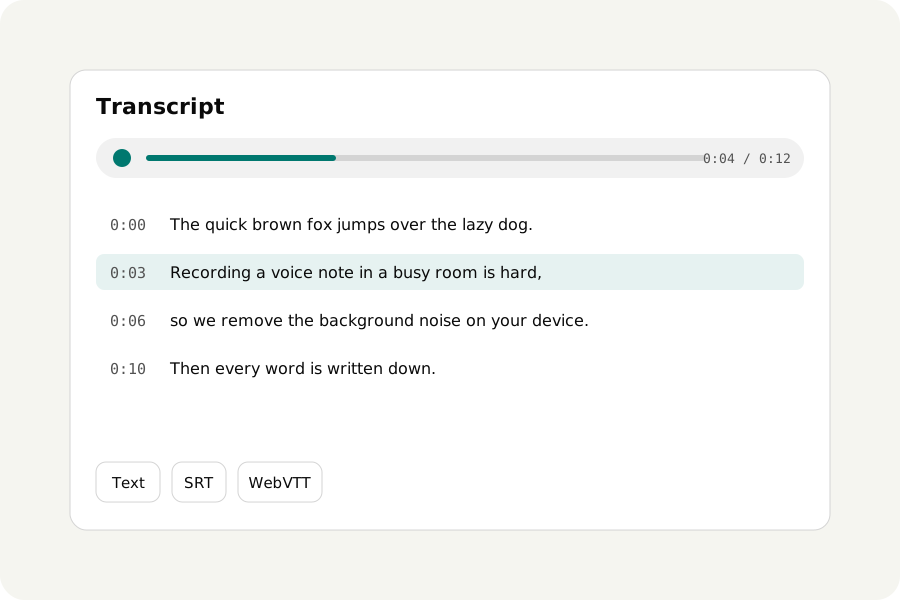
An interview to quote, a lecture to search, a video that needs subtitles. Transcription services upload the recording and often keep it; here Whisper, OpenAI's speech recognition model, runs in your browser, so the recording stays on your device.
How to transcribe.
Open Transcribe audio and drop your recording or video. Choose a model and press Transcribe: the text comes in as Whisper hears it, a few seconds at a time, and you can stop whenever you like and keep what was heard. Press a time to listen from there, find words, and save it as text or as SRT or WebVTT subtitles.
Which model.
Base is quick: on a laptop it takes about a third of the recording's length, and it is good with clear speech. Small is about three times slower and better with accents, noise and languages other than English. Either is downloaded from this site the first time (about 107 MB or 280 MB) and kept for working offline after that.
Whisper hears about a hundred languages and finds which one by itself, or you can say which it is. It can also write what is said in English instead: a quick translation, not a careful one.
What to check.
Whisper is very good and not perfect: it can mishear names, quiet words and speech over noise, and on long silence or music it can write words nobody said. Read the transcript through before you quote it or publish subtitles. Taking background noise out first can help.
On your device.
The recording is read and transcribed in your browser and never uploaded. There is no account and no limit on how much you transcribe.
Further reading
Topics: transcribe audio to text · speech to text free · whisper online · audio to text without upload · make subtitles srt · transcribe interview
A little less theory. A little more doing.
Try it on your own terms, with a free browser tool.
Try the tool