

Why online reaction tests disagree.
Your mouse, keyboard, screen and browser all add delay to an online reaction test. What each adds, what a page can measure, and how to compare fairly.
By Suraj Kumar5 min read
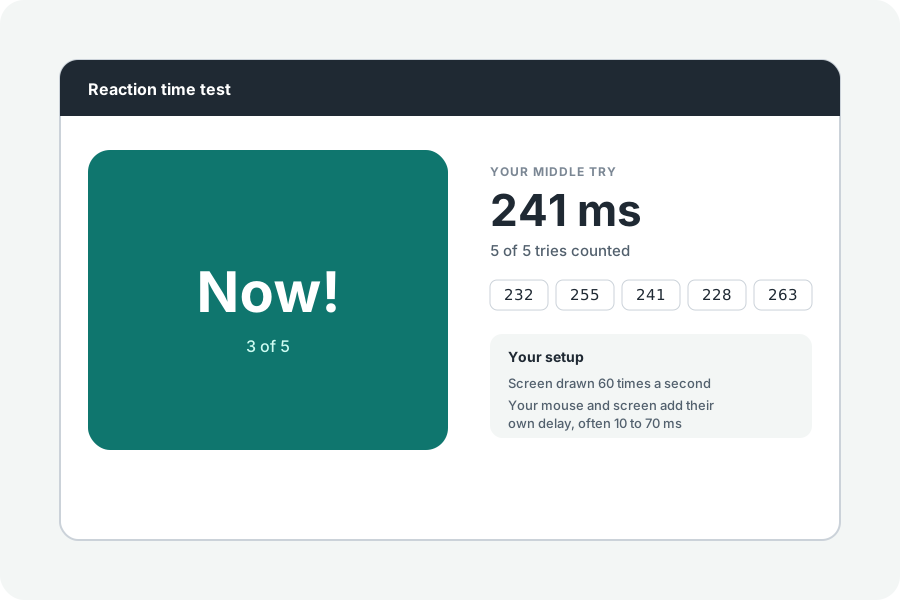
Take a reaction test on your laptop and then on your phone, and the numbers will differ by tens of milliseconds. You did not get slower: the devices did. Here is what adds delay, and what a fair test does about it.
Every part of the chain adds time.
The screen shows a change only when it next draws, up to 17 ms later on a 60 Hz screen and 8 ms on 120 Hz, then takes its own time to light the pixels. Your keyboard or mouse takes time to notice a press and send it: measurements of keyboards range from about 15 to 60 ms. Touch screens add more.
Browsers add a little more. A study of online experiment software in 2020 found reaction times lagged by roughly 8 to 67 ms depending on the browser and system, though steadily, so differences between tries were small.
What this test does, and says.
The change is made inside an animation frame and timed by that frame, and your press is timed by the time stamp the browser gave its event, not by when the page got round to it. The result names your screen's rate and your browser's clock, and says plainly that your devices' own delay is in the number.
Some browsers round their clock for privacy. When it is rounded as coarsely as a screen frame, the test gives no score rather than a wrong one.
How to compare fairly.
Use the same device, the same screen and the same mouse or keyboard. Wired beats wireless, and a screen at a higher rate shows the change sooner. Close other tabs, and if your phone is in Low Power Mode, which slows the screen's drawing, turn it off.
Further reading
- The timing mega-study: comparing a range of experiment generators, both lab-based and online, Bridges et al., PeerJ, 2020 (opens in a new tab)
- Keyboard latency, Dan Luu (opens in a new tab)
- Event: timeStamp property, MDN (opens in a new tab)
- Timing performance of online experiments, Gorilla (opens in a new tab)
Topics: reaction time test accuracy · input lag · monitor refresh rate reaction time · online reaction test · browser timing · reaction time different devices
A little less theory. A little more doing.
Try it on your own terms, with a free browser tool.
Try the tool