

Everything you do to a text, in one box.
Count words and characters, change capitals, compare two texts, tidy lines, sort lists and find and replace, in one box in your browser. No ads, no uploads.
By Suraj Kumar4 min read
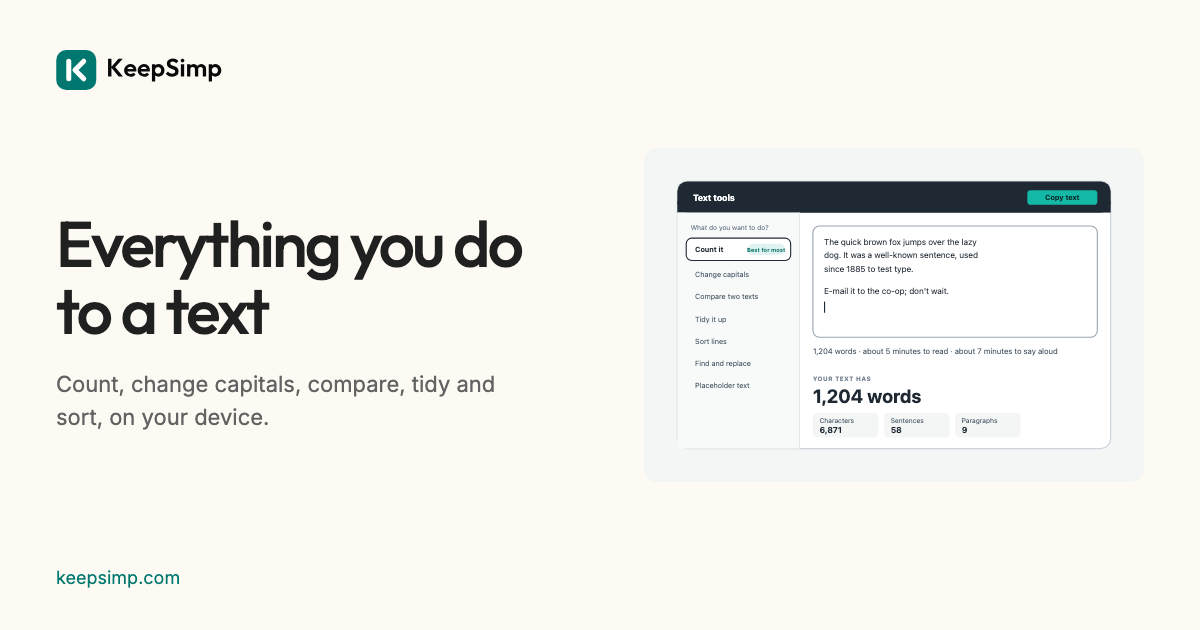
Counting the words of an essay, putting a heading in Title Case, seeing what someone changed in a contract, joining lines copied from a PDF: these are small jobs, and the sites that do them often want your text on their server and your eyes on their adverts. Text tools does them all in one box, on your device.
One box, and a line that counts.
Paste or type into the box, or open a .txt, .md or Word file. A line under it says, as you write, how many words the text has and how long it takes to read and to say aloud. Then answer one question, what you want to do with your text, and the panel for that job opens beside it.
Seven jobs.
Count it shows words, characters with and without spaces, sentences and paragraphs, and checks a limit: an X post, a text message, a search description or a word target. Change capitals writes UPPER, lower, Sentence or Title Case in AP, APA, Chicago or MLA style. Compare two texts marks every word that was added or taken out. Tidy it up joins broken lines and takes out extra spaces. Sort lines puts a list in order or keeps each line once. Find and replace changes a word everywhere. Placeholder text makes lorem ipsum.
Every change can be undone.
A change made by a panel is one step, said in words (“Took out 14 line breaks and 3 double spaces”), and Undo puts the text back as it was. Before tidying or replacing, Preview shows the text before and after with every change marked. One big Copy button takes the result.
Nothing leaves your browser.
Everything is worked out on your device: what you paste, type or open is never sent anywhere, and nothing is kept when you leave the page. There are no adverts, no accounts and no limits on length.
Further reading
Topics: text tools · word counter · case converter · diff checker · remove line breaks · sort lines · find and replace
A little less theory. A little more doing.
Try it on your own terms, with a free browser tool.
Try the tool