

Look under the black box before you send it.
Check a PDF's redactions in your browser, nothing is uploaded: every black box is looked under, and text, pictures or drawings still there are named.
By Suraj Kumar4 min read
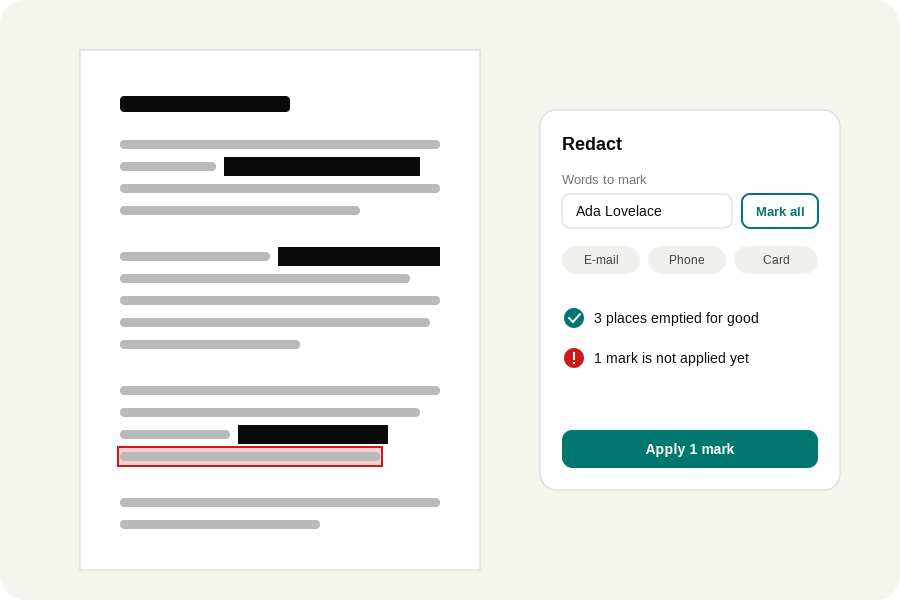
A black box on a page looks final, and often is not. In December 2025 reporters found that some of the Epstein files the US Justice Department had published could be read through their black boxes by copying the text and pasting it elsewhere, and in February 2026 the department said it was fixing thousands of documents. The same thing happens to court papers, reports and letters every year. The Redaction checker looks under every black box in a PDF, on your device, before you send it.
Why a black box can hide nothing.
A PDF page is a list of things to draw: these letters here, that picture there. A black rectangle drawn last covers what is under it on the screen and on paper, but the letters are still in the list. Select the page, copy and paste, and they come back. The same goes for a black highlight, a box laid on top as a note, a mark for redaction that was never applied, and a black picture pasted over the words.
Real redaction takes the letters, the pixels and the drawings out of the file and then draws the box. Redact PDF does that, and refuses to finish while a letter can still be read under a mark.
What the check looks for.
Every place that looks blacked out: a dark shape the page draws, a dark part of a picture, such as a bar on a scan, a black box or highlight laid over the page as a note, which any PDF reader can delete, and Redact marks that were marked and never applied. A place counts only where nine in ten of its pixels are dark, so light words on a dark heading are taken for a label.
Under each, it names the text you could select and copy, with the words shown, including words written invisibly, as the recognised text under a scan is; the pictures drawn under it; and other drawings. Then it names what the file holds beside its pages: its title and author, a second description (XMP), attached files, form fields and notes with words in them, bookmarks, layers, and words that only an earlier version of the file shows, when it was saved on top of itself.
Check a PDF.
Open the Redaction checker and drop the PDF. The check starts by itself, and the result says how many black boxes still have something under them, such as 2 of 3. Each page with black boxes is listed; choose one to see them framed and numbered, red where something is still there, with what was found written underneath.
If something leaked, press Take it out for good in Redact PDF. The file opens there with nothing changed yet: mark the places, apply, and download. Then check the download here again.
What a check by look can miss.
It judges by look. It does not read the words inside a picture, so a name in a scan that was not blacked out is not found, and it can take a harmless dark shape, such as a chart's bar, for a black box with nothing under it. Do your own check as well: select all on each page, copy, and paste into a plain text editor.
The file is read in your browser and is never uploaded or changed, which matters most for exactly the files people redact. Comparing the redacted copy with the original can also show what changed between them.
Further reading
- Redacted Material in Some Epstein Files Is Easily Recovered, The New York Times (December 2025), as republished by GV Wire (opens in a new tab)
- Government says it's fixing thousands of documents in Epstein-related files, Associated Press on PBS NewsHour (February 2026) (opens in a new tab)
- Redaction annotations, ISO 32000-1 (PDF 1.7), section 12.5.6.23, Adobe (opens in a new tab)
Topics: redaction checker · check PDF redaction · is my redaction secure · PDF redaction failure · text under black box PDF · unredact PDF check · redacted PDF copy and paste
A little less theory. A little more doing.
Try it on your own terms, with a free browser tool.
Try the tool