

A noise meter that shows the room, not a number.
How a classroom noise meter measures the room from a microphone, why it waits three seconds before turning, and why it is not a decibel meter. Nothing recorded.
By Suraj Kumar4 min read
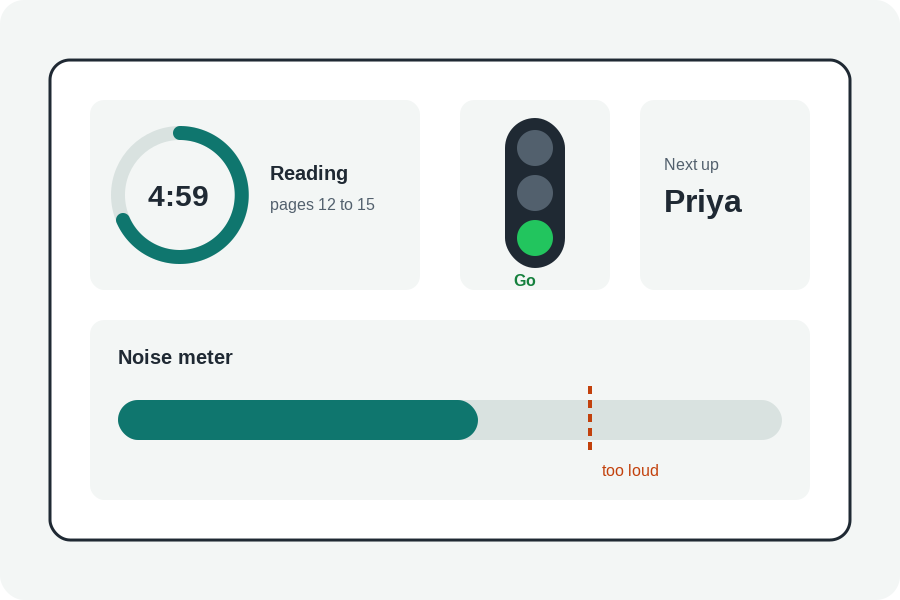
A noise meter on the board lets a class see how loud it is getting before anyone has to say so. Here is what the Classroom screen's meter measures, how it decides the room is too loud, and what it cannot tell you.
Measured as loudness, on your device.
Press Start and allow the microphone. The page asks the browser to turn off its echo cancelling, noise suppression and automatic gain, which are made for calls and would flatten a room's noise. Every 0.4 seconds of sound is measured as loudness by ITU-R BS.1770, the method broadcasters use, by the same meter as the site's microphone test.
Only the level is worked out. No sound is recorded, kept or sent, and the microphone is let go when you press Stop listening or leave the page.
A line for too loud, judged over three seconds.
The bar runs from 0 to 100: 0 is −60 LUFS and 100 is full scale, in a straight line. Set the line with Quiet (35), Normal (48) or Lively (60), or any number from 5 to 95 under More options. Those three are KeepSimp's own starting points: watch the bar while the class works as you want it to, and move the line just above.
The room is judged on the last three seconds, the short-term window of EBU Tech 3341, so one cough or a dropped book does not turn the screen. When it goes over, the bar and the words turn to the warning colour and say Too loud: bring it down; it turns back only once the room is a few points under the line, so it does not flicker. The board counts how long and how many times it was too loud, and an optional soft pip sounds on going over, at most every 15 seconds.
Not a decibel meter.
A web page cannot know how sensitive your microphone is, how its input is set in your system's sound settings, or how far it is from the class. So the level is relative to this microphone in this place: the same room might read 40 through one microphone and 55 through another. A sound level meter made for the job is calibrated against a known sound; this one is not, and it never shows decibels.
That is enough for a class to see whether the room is calmer or louder than the line you chose. Keep the microphone in one place for a lesson, and set the line again when it moves.
Further reading
- Recommendation ITU-R BS.1770: Algorithms to measure audio programme loudness and true-peak audio level (opens in a new tab)
- EBU Tech 3341: Loudness Metering, 'EBU Mode' metering (momentary and short-term) (opens in a new tab)
- MediaTrackConstraints: echoCancellation, noiseSuppression and autoGainControl, MDN (opens in a new tab)
Topics: classroom noise meter · noise level meter · noise monitor for classroom · sound level meter online · decibel meter online · how loud is my classroom
A little less theory. A little more doing.
Try it on your own terms, with a free browser tool.
Try the tool