

A little know-how
A new format, with nothing lost on the way.
Convert audio between MP3, M4A, Opus, FLAC and WAV in your browser, many files at once, with tags and cover art. Which format and bitrate to choose. Nothing is uploaded.
By KeepSimp 4 min read
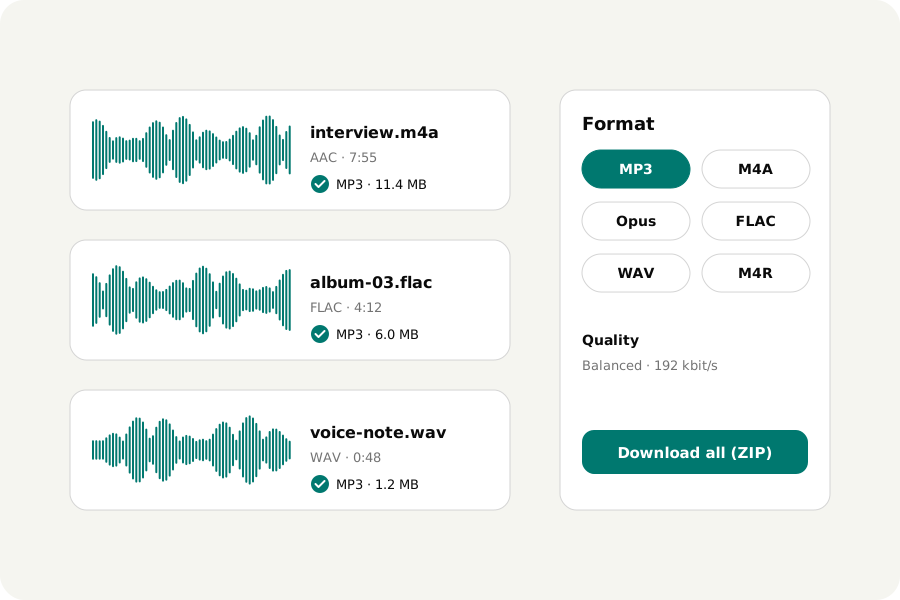
A recording comes off a phone as M4A, an album was ripped to FLAC, a podcast host wants MP3, an editing program wants WAV. Converting is easy to do badly: most sites want the file uploaded, some cap you at a few a day, and many write MP3s with a moment of silence at the start. Here is how to do it on your own device, and how to choose.
Which format to choose.
MP3 plays on everything, from car stereos to old phones: choose it when you do not know where the file will go. M4A (AAC) sounds as good as MP3 in a smaller file and plays on every phone and computer. Opus is the best for its size, voice above all, and plays in browsers, Android, VLC and recent Apple devices.
FLAC and WAV keep every sample: nothing is thrown away. FLAC is about half the size of WAV and keeps tags; WAV is what editing programs and some hardware expect. Converting a lossy file (MP3, AAC) to FLAC or WAV makes it larger but not better: what was lost stays lost.
How to convert.
Open the Audio converter and drop your files: MP3, M4A, Opus, Ogg, FLAC, WAV, AIFF, or videos. Choose a format and a quality. Each file is converted as soon as it is read; listen to the original or the result, and download one file or all of them in a ZIP.
Balanced is right for most music: 192 kbit/s for MP3, 160 for AAC, 96 for Opus. High keeps more for music you care about; Small is fine for speech. A file size limit makes the converter choose the highest bitrate that fits, and say which.
When not to convert at all.
“Same as the file” keeps a file's own sound and only changes what holds it: an M4A's AAC stays AAC, an Opus file stays Opus. Nothing is decoded or encoded again, so nothing is lost, and it takes a moment. It is the best way to take the sound out of a video.
Checked before you download.
Every file the converter writes is opened again and decoded from beginning to end. Its length, sample rate and channels are held against what you asked, an MP3's size against its bitrate, and a result that came out silent is caught. MP3 and AAC files say in their headers how long the sound is, so they do not start with a gap.
Your files stay with you.
Files are read and written in your browser and never uploaded. There is no account and no limit on how many you convert.
Further reading
Topics: audio converter · convert audio online free · WAV to MP3 · FLAC to MP3 · M4A to MP3 · MP3 to WAV · AIFF to MP3 · convert to Opus · audio converter no upload
A little less theory. A little more doing.
Try it on your own terms, with a free browser tool.
Try the tool