

A little know-how
Keep the sound, leave the picture.
Take the sound out of an MP4, MOV, WebM or MKV video in your browser, exactly as it is, or as MP3, M4A, FLAC or WAV. Nothing is uploaded.
By KeepSimp 3 min read
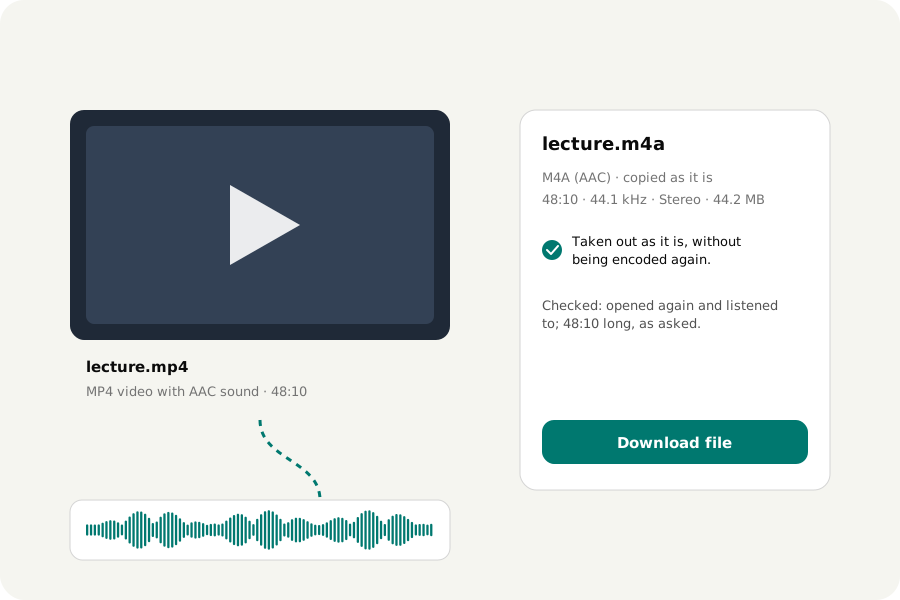
A lecture recorded on a phone, a song in a video, an interview you only need to hear. The sound is already inside the video file; taking it out should not cost quality, an upload or a sign-up.
As it is: the best way.
A video's sound is stored in its own track, usually as AAC in an MP4 or MOV, or Opus in a WebM. The Audio extractor copies that track into a sound file of its own, an M4A for AAC or an Ogg for Opus, without decoding and encoding it again. Nothing is lost, the file is as small as it can be, and it is done in a moment.
When you need MP3.
Some players and sites only take MP3. Choose MP3 and the sound is encoded again, at 192 kbit/s by default, which is plenty for speech and fine for music. FLAC or WAV are for editing programs: they are larger, and they cannot bring back what the video's own encoding left out.
Some films carry sound that phones cannot play, such as AC-3 surround. It is written as AAC, mixed down to stereo, and the page says so.
Your video stays with you.
The video is read in your browser and never uploaded, however large it is. Many videos can be done at once, and the sound of each is opened again and listened to before you download it.
Further reading
Topics: extract audio from video · MP4 to MP3 · video to audio · MOV to MP3 · WebM to MP3 · get audio from video · rip audio from video · extract audio without upload
A little less theory. A little more doing.
Try it on your own terms, with a free browser tool.
Try the tool