

A little know-how
Many recordings, one file, no jumps between.
Join MP3, M4A, WAV and other sound files into one in your browser, in your order, straight on, with silence or crossfades, with chapters. Nothing is uploaded.
By KeepSimp 3 min read
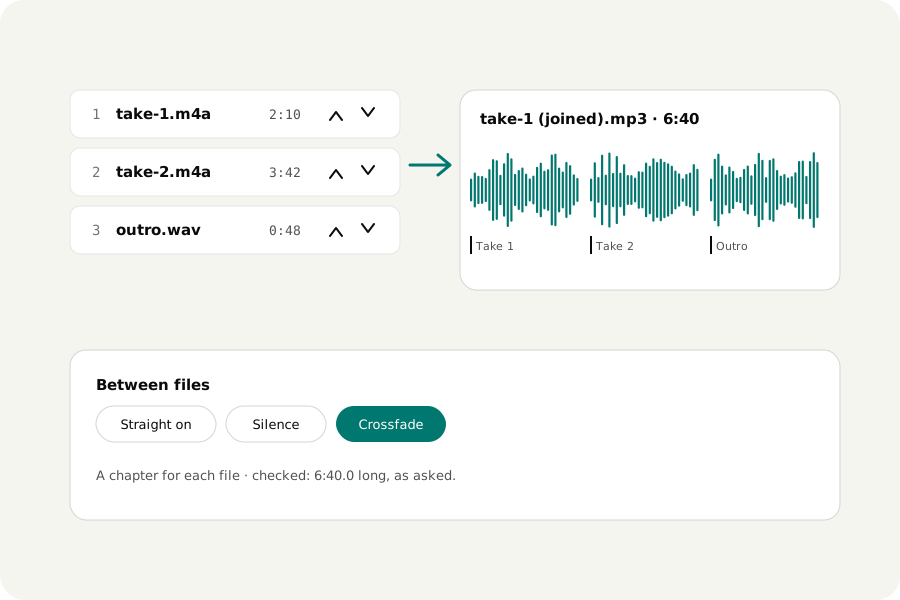
Voice notes recorded in pieces, the songs of a mix, the chapters of an audiobook, the takes of a podcast: joining them should keep their order, not jump in loudness from one to the next, and leave a way to find each part again.
How to join.
Open Join audio and drop the files. Put them in order with the arrows, choose how they meet (straight on, a moment of silence, or a crossfade) and the format, and press Join. The joined file is written, opened again and listened to, and offered with a player and a download.
Files that do not match.
Files of different sample rates and channels are made the same. Recordings of different loudness can be made to match: choose Normalize loudness, and each file is measured and brought to the same loudness before it is joined, with one limiter over the whole so nothing clips. Each file joins as you edited it, so trim each one first if it needs it.
A chapter for each file.
An MP3 or M4A gets a chapter where each file begins, named after it, so a player can jump from one to the next. MP3 chapters are read by most players and podcast apps; the M4A kind is read by VLC, FFmpeg and foobar2000, while Apple's own apps read another kind.
On your device.
Files are read and joined in your browser and never uploaded. There is no account and no limit on how many you join, up to 50 at once.
Further reading
Topics: join audio files · merge mp3 · combine audio files · audio joiner · crossfade songs · merge audio with chapters · concatenate mp3
A little less theory. A little more doing.
Try it on your own terms, with a free browser tool.
Try the tool