

A live poll from one link, counted on your screen.
Run a live poll for a class or a meeting: show a QR code, everyone answers from their phone, and bars or a word cloud fill in on your screen.
By Suraj Kumar4 min read
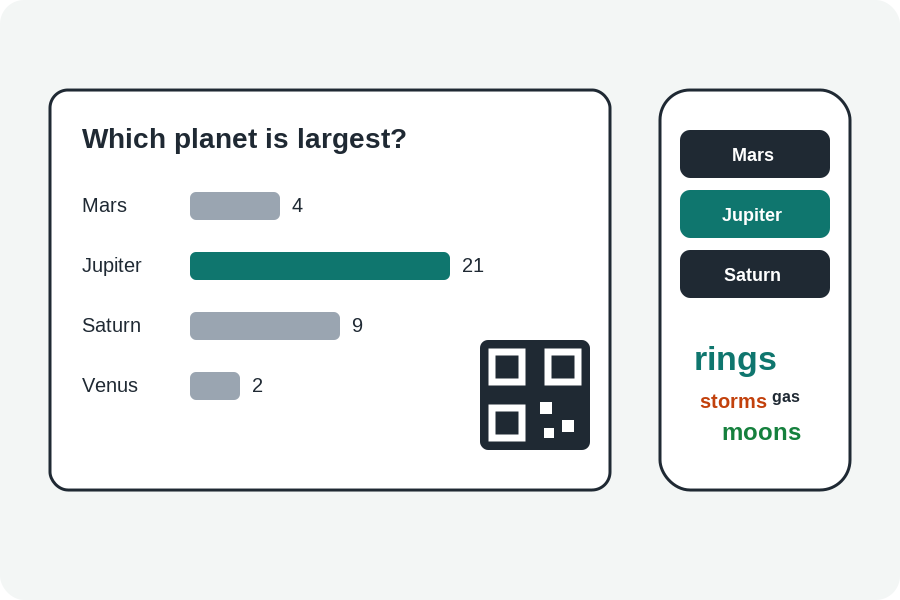
A live poll asks the room a question and shows the answers as they arrive. Write a question, show the QR code, and every phone in the room can answer: no accounts, no app, and the answers are counted by your own browser.
Write a question, show the code.
Choose what you want to ask: multiple choice with two to eight answers, a scale of 1 to 5, a word cloud, or open answers of a sentence or two. Write the question, add more after it if you like, and press Start the poll. The page makes a room with its own link and shows its QR code large enough to scan from the back of a room.
People scan the code or open the link, add a nickname only if they want one, and press Join. The question shows on their phone with big buttons, or a field to type in, and they can send one answer to each question.
Bars, an average, a cloud or a list.
Choices and the scale are drawn as bars with the count and share of each; the scale also shows its average, worked out from whole numbers and rounded to one place. Word answers grow into a cloud, the ones said most drawn biggest. Open answers are listed newest first.
Press Hide results to cover them while people think, and Show results when you are ready. Close answers stops the question; Next question shows the one after it. Every answer is text people typed, shown as text and never as a web page, and the eye button beside any open answer, or any word in the cloud's list, takes it off the screen. Download the results as a CSV of question, answer and count, ready for a spreadsheet or a chart.
Counted on your device, not on ours.
Your browser holds the room. Each phone joins it directly where the networks allow, or through public relays that pass on messages sealed with a key carried in the link, which they cannot read. Your browser counts the answers and keeps only the first from each phone for each question. Nothing goes through a server of ours, and nothing is kept unless you turn on keeping your questions on this device.
A room takes up to 49 people besides you, enough for a class or a meeting. Keep the poll's page open; it can sit behind your slides. Some school and office networks block the relays, and people on them cannot join. Everyone in a room can see each other's network addresses, as in any browser call, and each phone receives the answers the room passes on, without names unless a nickname was given.
Further reading
Topics: live poll · free live poll no sign up · classroom poll · audience poll for meetings · poll with qr code · anonymous live poll
A little less theory. A little more doing.
Try it on your own terms, with a free browser tool.
Try the tool