

A little know-how
Write in plain text. Read it as a page.
Write Markdown with a live preview in your browser: GitHub's tables, task lists, footnotes and alerts, maths, diagrams, tabs, a document check and exports to HTML, Word and PDF. No uploads.
By KeepSimp 6 min read
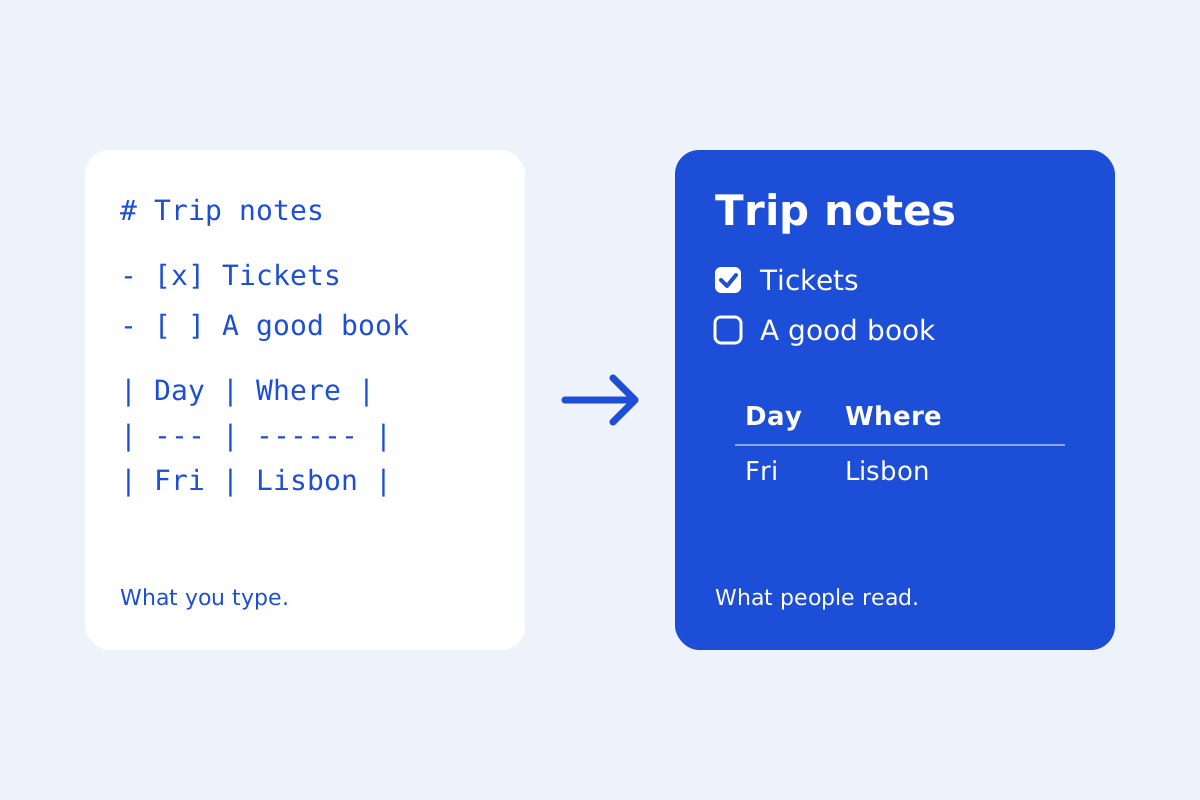
Markdown is plain text with a few marks: a # for a heading, a - for a list, ** around bold. It is how READMEs, notes, documentation and many blogs are written, because the file stays readable in any editor and works with any tool. KeepSimp's Markdown editor shows what you type beside the page it makes, and keeps your files on your own device.
The Markdown GitHub writes.
The editor reads CommonMark, the shared definition of Markdown, with GitHub's additions: tables, task lists with boxes to tick, strikethrough, addresses that become links by themselves, footnotes, and the five kinds of alert that GitHub draws as coloured boxes. Headings get the same anchors as on GitHub, so a link to #getting-started works in both places.
Maths between dollar signs is drawn by KaTeX, and ```mermaid blocks become diagrams, both only when a document has some. A block of YAML between two lines of --- at the very top is front matter, shown as a table of names and values.
The keys you already know.
Select words and press Ctrl+B for bold, Ctrl+I for italic, Ctrl+E for code and Ctrl+K for a link (⌘ on a Mac), the same keys as GitHub's own editor. Lists, tasks and quotes carry on when you press Enter. F1 shows every key and every bit of Markdown on one sheet.
Paste from a web page, Google Docs or Word and it arrives as Markdown; paste cells from a spreadsheet and they arrive as a table; paste or drop a picture and it is kept with the document. Text copied from a code editor pastes as it is.
Two sides that stay together.
In Split, the text and the preview scroll together. Double-click the preview to find the line it came from; tick a task's box in the preview and it is ticked in the text. The outline lists the headings and writes a table of contents that is written again in its place when they change.
Check the document runs markdownlint's rules, the ones editors and CI use, in plain words: headings that skip a level, links to headings that are not there, pictures without words for people who cannot see them. Most can be fixed with one press.
Your files stay yours.
Open several documents in tabs. In Chrome and Edge, Save writes back to the very file you opened, and you can open a whole folder and save each file where it is. In other browsers Save downloads a copy. A version is kept each time you save, to compare and put back.
Nothing is uploaded. A draft is kept in your browser's own storage only if you turn that on. HTML inside a document is cleaned, in the preview and in everything exported or copied, so nothing in it can run.
A web page, a Word file, a PDF, or slides.
Export a web page that stands alone, a Word file with Word's own headings and tables, a PDF from the print dialog, or the Markdown with its pictures as a ZIP. Copy as rich text pastes into an email with its formatting. Present as slides shows the document a part at a time, split at lines of ---.
Further reading
Topics: markdown editor · online markdown editor · markdown preview · markdown editor with live preview · github flavored markdown · markdown to html · markdown to pdf · readme editor
A little less theory. A little more doing.
Try it on your own terms, with a free browser tool.
Try the tool