

Base64, and the ways it is written.
Encode and decode Base64 and Base64url with or without padding, in MIME lines, and files as data URLs; see what a decode passed over.
By Suraj KumarUpdated 3 min read
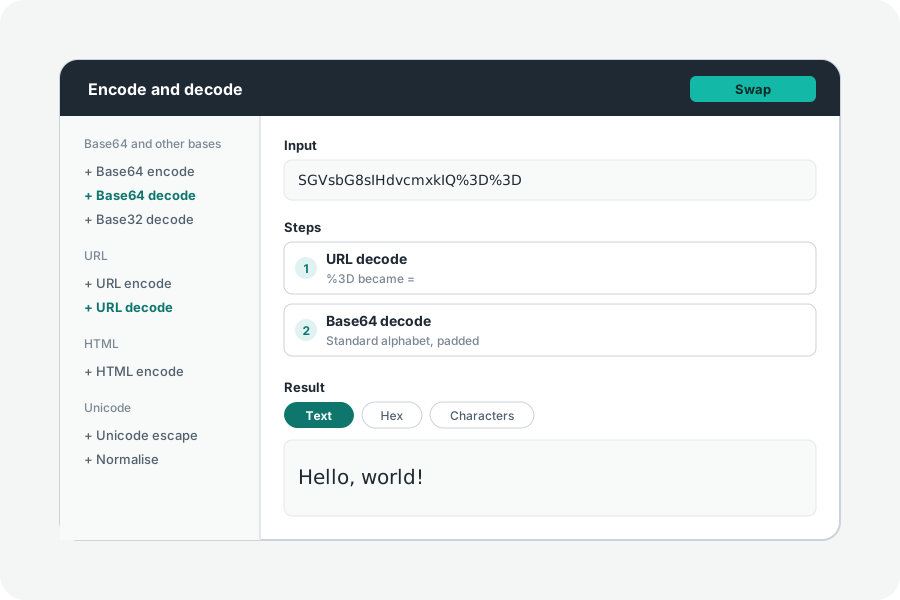
Base64 writes any bytes with 64 safe characters, so a picture can travel in JSON or an email. It comes in several forms, and most tools quietly accept or refuse them. This one says which it read.
Encode or decode.
Open the Base64 encoder, type or paste text, or open a file, and the Base64 is shown as you type. Paste Base64 instead and Swap reads it back; when it holds a picture, a sound or a PDF, it is shown and can be downloaded as the file it is.
Standard, URL-safe, padded, wrapped.
Standard Base64 uses + and / and pads the end with =. Base64url uses - and _ so it can sit in an address, and JWTs leave out its padding. Email wraps Base64 at 76 characters a line, PEM keys at 64. Choose each as you encode.
Decoding passes over spaces and line breaks and does not need the padding, as browsers do, and the notes say when it did. Strict decoding refuses them, and a last character whose spare bits are not zero, as RFC 4648 allows a decoder to.
Nothing leaves your browser.
Everything is worked out on your device: what you paste or open is never sent anywhere, and nothing is kept when you leave. A share link carries what you typed after the #, which browsers never send to a server.
Further reading
Topics: base64 encode · base64 decode · base64url · base64 to image · image to base64 · base64 to pdf · data url · base64 padding
A little less theory. A little more doing.
Try it on your own terms, with a free browser tool.
Try the tool