

A PDF under the size the form asks.
Compress a PDF to 200 KB, 100 KB, 500 KB or a size you type, in your browser with nothing uploaded. Text stays text, and the result says what it came to.
By Suraj Kumar4 min read
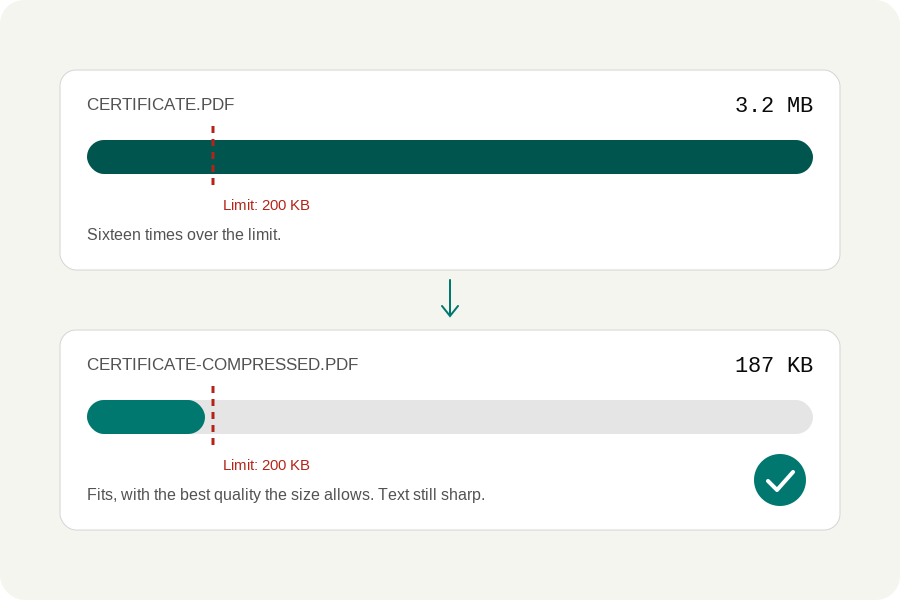
Upload forms set their limits in kilobytes: a certificate under 200 KB, an ID under 100 KB. The KeepSimp Compress PDF to KB page opens the PDF compressor with that limit already switched on, at 200 KB, and does the work in your browser, so the document never leaves your device.
Choose the limit, then compress.
Drop the PDF. Must be under a size? is already on at 200 KB, with 500 KB and 100 KB beside it, and Other for a size you type, such as 300 KB or 50 KB. Then press Compress PDF.
The compressor writes the file at gentle settings first and goes harsher only when it must, so it keeps the gentlest result that fits. The result says the new size beside the old one, and whether it is under the limit.
Text stays text.
Pictures are usually where a PDF's size is, so pictures give way first: they are brought down to the size they are shown at and saved at a lower quality, a step at a time.
The compressor never turns a page into a picture. Words stay real text, as sharp as before, that can be selected and searched. That is also why some files cannot get very small: when the text, fonts and structure alone weigh more than the limit, no picture setting can reach it, and the page says so.
When it will not go that small.
A long scan that was already compressed, or a file of many photographs, may still be over the limit at the harshest step that stays readable. You then get the smallest readable result and how far over it is, never a file that is quietly too large.
Under More options, Go further lets pictures turn blurry to save more, and Scanned pages can rebuild a scan as sharp letters over a soft background, or in black and white. Or send fewer pages: take out the ones the form needs with the PDF splitter and compress those.
What a kilobyte means here.
KeepSimp counts a kilobyte as 1,024 bytes, as Windows shows file sizes, so a limit of 200 KB here is 204,800 bytes.
If a form counts in thousands of bytes and refuses a file that looked just under, choose Other and type a little less, such as 195 KB. Keep your original too: if the form needs a clearer copy later, start again from it.
Further reading
Topics: compress pdf to 200kb · compress pdf to 100kb · compress pdf to 500kb · reduce pdf size in kb · compress pdf to kb · pdf size reducer in kb · compress pdf under 200kb
A little less theory. A little more doing.
Try it on your own terms, with a free browser tool.
Try the tool