

Type faster, a minute at a time.
What the fastest typists in a study of 168,000 people did differently, and a simple way to practise with a one minute typing test in your browser.
By Suraj Kumar4 min read
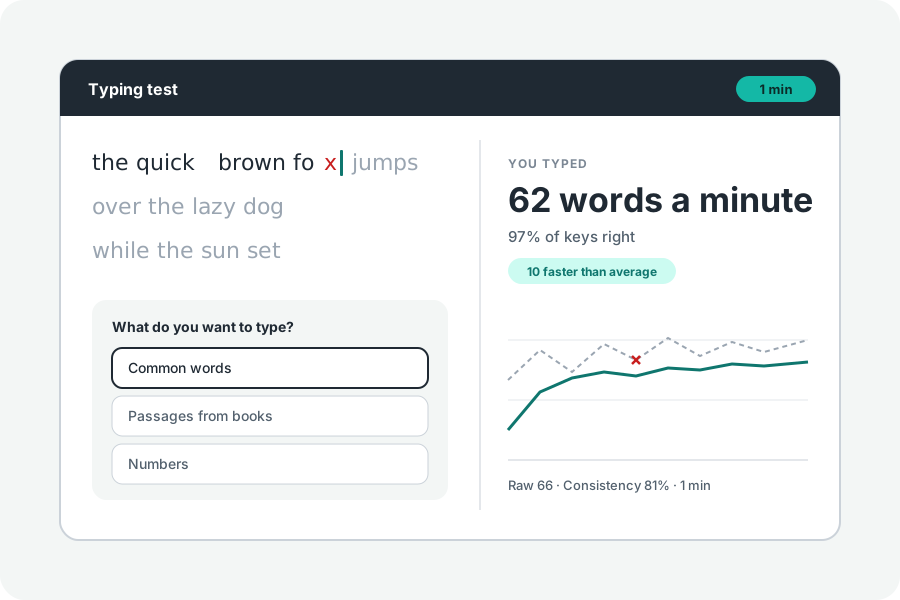
Typing faster is mostly a matter of making fewer mistakes and pausing less between keys. The 2018 study of 168,000 typists showed what the fast ones did differently. Here is what it found, and a way to practise a minute at a time.
Fast typists hardly pause between keys.
In the study the average gap between one key and the next was about 240 milliseconds. The fastest typists' gaps were about 120. They also made fewer mistakes, so they lost less time going back.
They often pressed the next key before letting go of the last one. On average a quarter of keys were pressed this way, and far more among the fastest. It comes with practice, as your fingers learn common pairs of letters.
Go for accuracy first.
Every mistake costs a Backspace and a second try. Slow down until nearly every key is right, then let speed come. The test's result shows the share of keys you pressed right and lists the words you missed, so you can see which ones trip you up.
Look at the screen, not your hands. If you need to look, you have found the keys to practise.
Practise a minute at a time.
Short tests are easy to fit in and easy to repeat. Take a one minute test, look at the words you got wrong, and take another. Tab then Enter starts a new one without the mouse, and Again gives you the same words so you can see if you did better.
Once a minute goes well, try passages from books, which have capitals and punctuation like real writing, and longer tests.
Steady beats fast.
The chart under your result shows your speed every second. Bursts followed by stops mean you are rushing and then catching up. Consistency, a number from 0 to 100, says how steady you were; it goes up as typing becomes a habit.
Further reading
Topics: how to type faster · improve typing speed · typing practice · type faster · touch typing · typing tips
A little less theory. A little more doing.
Try it on your own terms, with a free browser tool.
Try the tool