

A key that types twice.
A worn switch can bounce and type a letter twice. Find which key chatters in your browser, with each bounce timed, and what can be done about it.
By Suraj Kumar3 min read
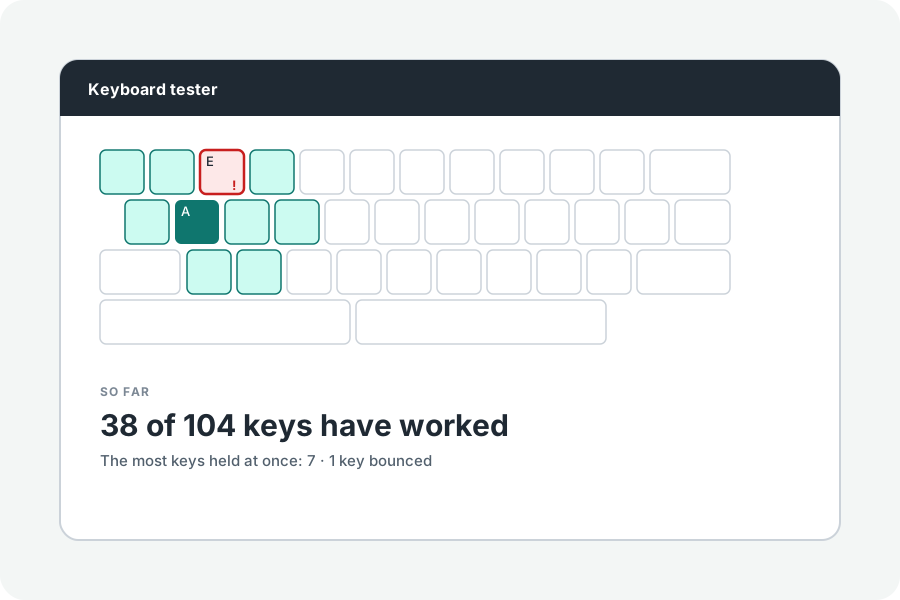
You press E once and get 'ee'. That is chatter: the switch bounces as it closes, and the keyboard reports two presses. The chatter test shows which keys do it.
Find the key.
Press each key once, steadily, with one finger. A press that comes within 30 ms of letting go of the same key is marked as a bounce, since fingers cannot move that fast; 30 to 50 ms is listed as possible. Each bounce is listed with its gap.
Held keys repeat on purpose, and repeats are never counted as bounces.
Why switches bounce.
The metal contacts inside a switch spring apart for a few milliseconds as they close. Keyboards wait that out (debounce, often 5 ms); a worn or dirty switch bounces for longer and gets through.
What helps.
Blow out dust, clean the switch, or replace it if your keyboard's switches come out. Some keyboards' software can lengthen the debounce, and there are programs that filter quick repeated presses on the computer. The tester only finds the fault.
Further reading
Topics: keyboard chatter test · key chatter · keyboard double typing · key types twice · switch bounce · debounce
A little less theory. A little more doing.
Try it on your own terms, with a free browser tool.
Try the tool