

Ghosting, rollover and how many keys at once.
Hold many keys at once to see how many your keyboard reports. What ghosting, 6KRO and NKRO mean, and why the number is your keyboard and computer together.
By Suraj Kumar4 min read
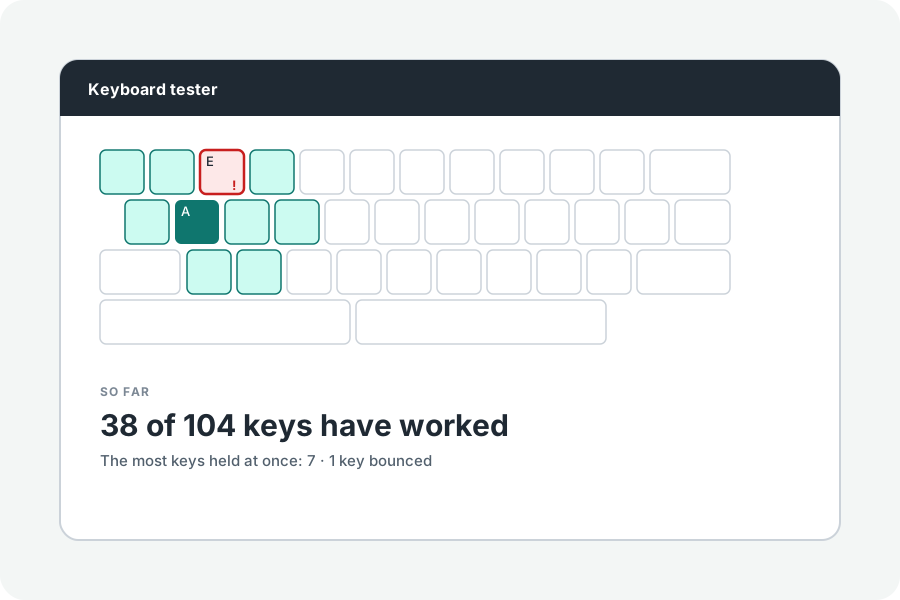
Press W, A and Shift at once in a game and nothing happens: your keyboard may be blocking keys. Holding many keys at once in the tester shows how many get through.
Ghosting and rollover.
Rollover is how many keys a keyboard can report held at once. Cheaper keyboards share wires between keys, so some combinations block others (masking) or, on old designs, report a key that was never pressed (ghosting).
Over USB, the simplest mode carries six keys plus the modifiers (6KRO). Keyboards with N-key rollover (NKRO) report every key, often only once a setting or their own software turns it on.
Test it.
Click the board and hold as many keys as you can, then try the combinations you use in games. Every held key lights; the result keeps the most held at once and which they were.
The number is what your keyboard, its connection and your computer allow together: a hub, an adapter or a wireless link can lower it.
If keys are blocked.
Look for an NKRO setting in the keyboard's manual or software, or a key combination that switches it. Try another USB port without a hub. If a single key never lights, see whether it bounces or does not work at all.
Further reading
Topics: keyboard ghosting test · nkro test · rollover test · 6kro · anti-ghosting · key rollover
A little less theory. A little more doing.
Try it on your own terms, with a free browser tool.
Try the tool