

Learn to touch type, a few letters at a time.
Learn to type without looking: start with six letters, add one when they are fast, and practise the keys you find hardest, in free lessons in your browser.
By Suraj Kumar4 min read
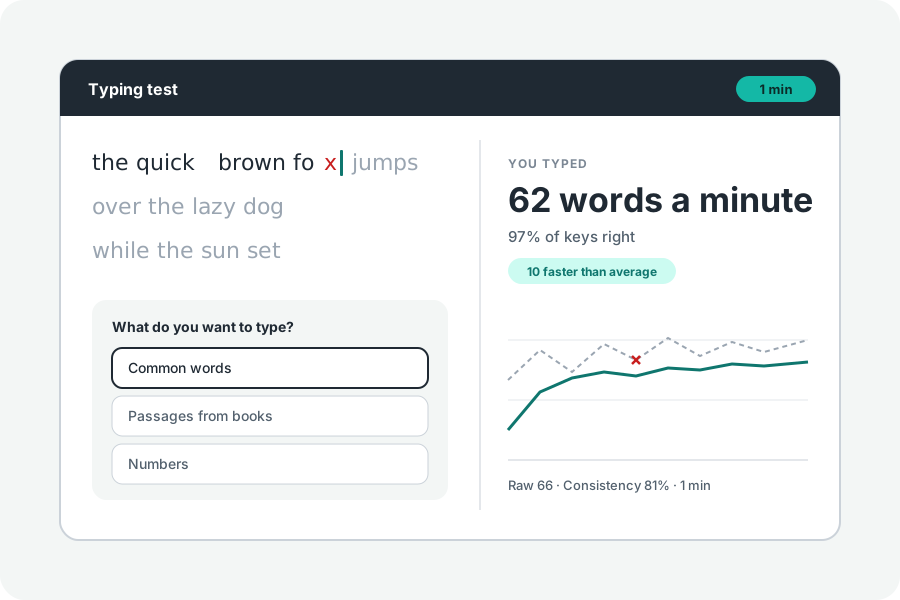
Touch typing means typing without looking at the keys, each finger keeping to its own keys. It feels slow for a week and then never stops paying off. The quickest way in is a few letters at a time, adding one only when the others come easily.
Start from the home row.
Rest your left fingers on A, S, D and F and your right on J, K, L and the semicolon; the bumps on F and J let you find them without looking. Each finger reaches up and down from its home key, and the thumbs take Space.
Do not look down. If you must, you have found the key to practise; look at the screen and feel for it.
Lessons that grow with you.
Typing practice starts with E, T, A, O, I and N, the six letters English uses most, so even the first lesson is made of real words: tea, note, into. Each lesson is 20 words.
Every letter's speed is measured from the time it took after the key before it. When every letter you have has been typed right ten times at your target speed (35 words a minute unless you change it), the next letter comes in. The letter that needs most work is ringed, and the lesson gives you more words with it.
The idea of adding letters as they are learnt comes from Keybr, whose code is open; the lessons here are KeepSimp's own.
A little every day.
Ten minutes a day beats an hour on Sunday. Fast typists in the 2018 study of 168,000 people hardly paused between keys, and that comes from keys your fingers know without thinking.
Once every letter is in, try a one minute typing test of common words, then passages from books with their capitals and punctuation.
Nothing you type is kept.
The lessons run in your browser and your typing is never sent anywhere. Your letters and speeds last while the page is open.
Further reading
Topics: learn to touch type · touch typing lessons · typing practice · learn to type · home row · typing tutor
A little less theory. A little more doing.
Try it on your own terms, with a free browser tool.
Try the tool