

An M4A, made into an MP3 that plays anywhere.
Convert M4A files and iPhone voice memos to MP3 in your browser, fifty at once, with tags and cover art kept and no gap at the start. Nothing is uploaded.
By Suraj Kumar3 min read
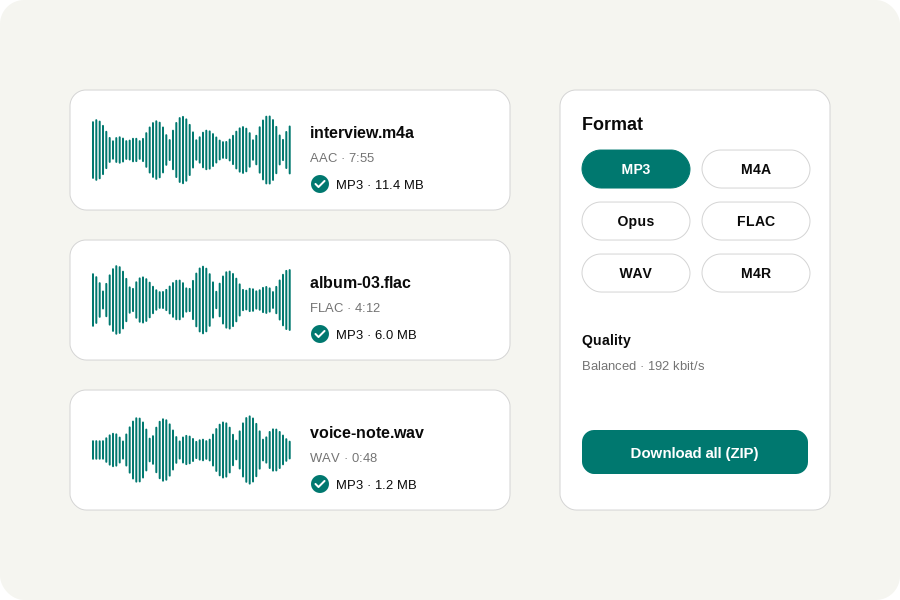
M4A is the sound file iPhones, Macs and many recorders make: voice memos, songs from the iTunes Store, sound saved from a video. Some players, car stereos and upload forms only take MP3. The KeepSimp M4A to MP3 page converts them in your browser, and the sound never leaves your device.
Convert in three steps.
Open M4A to MP3 and drop your files, up to fifty at a time. They open in the audio editor, listed on the left, already set to save MP3.
Each MP3 is decoded again from start to end and checked before it is offered: its length, rate and channels against the plan. Download one, or all of them as a ZIP.
Which quality.
The MP3 is written at a steady 192 kbit/s, or 96 for a recording in one channel. Under More options, Small (96 kbit/s) makes smaller files and High (320 kbit/s) is the most an MP3 holds.
An M4A usually holds AAC, which leaves out detail as MP3 does, so going from one to the other loses a little more. Convert from the original file, and once; an MP3 can never sound better than the M4A it came from.
Voice memos and long recordings.
A voice memo from an iPhone is an M4A file: save it to Files from the Voice Memos app's share button, then drop it here. Long recordings are fine, as the sound is read a piece at a time and never held whole.
To trim the silence at the start or make a quiet voice louder, use the audio editor's own tools before you save. To get the words as text, Transcribe audio writes them out on your device.
Further reading
Topics: m4a to mp3 · convert m4a to mp3 · m4a to mp3 converter · voice memo to mp3 · iphone voice memo to mp3 · aac to mp3 · batch m4a to mp3
A little less theory. A little more doing.
Try it on your own terms, with a free browser tool.
Try the tool