

Edit HTML and see the page as you type.
Write or open an HTML file and see the page beside it as you type, with CSS and JavaScript editors and a console. Save it back as one file. Free, no account.
By Suraj KumarUpdated 3 min read
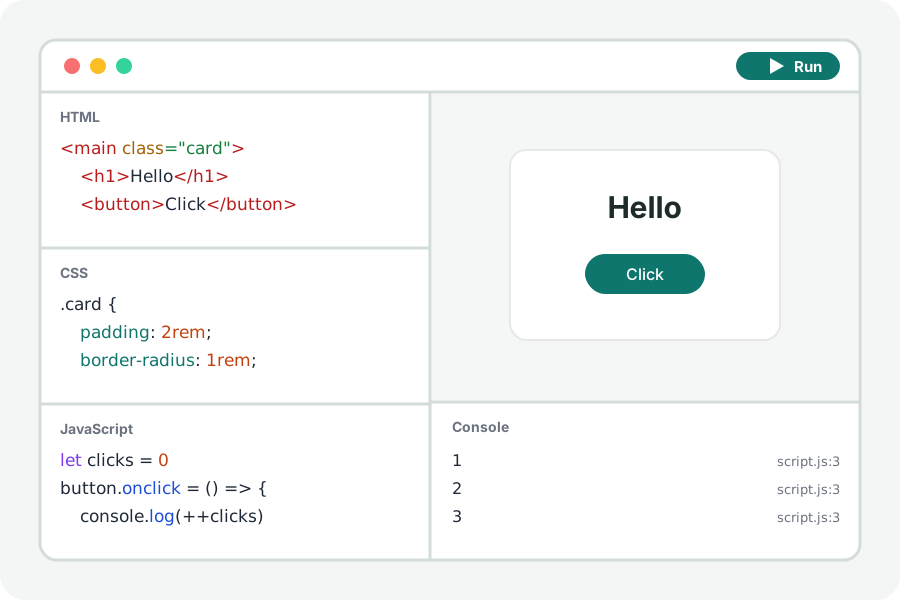
Sometimes you only want to see what a bit of HTML does: a snippet from a tutorial, an email template, a page someone sent you. The online HTML editor shows the page beside the code and changes it as you type, with nothing to install.
Write it, or open a file.
Open the HTML editor and press Start with HTML, or Open files under More options to change a page you have. An HTML file's own <style> and <script> are taken into the CSS and JavaScript editors, so each part is in its place; a whole document, with <html> and <head>, is kept as you wrote it.
The page runs again a moment after you stop typing. Show it as wide as a phone or a tablet to see how it fits, and open it in a window of its own.
Save it as one file.
Save writes one HTML file with your CSS and JavaScript inside it, ready to open in any browser or send to someone. The menu also saves a zip of index.html, style.css and script.js, as a website keeps them.
Your code stays on your device.
Everything is compiled and run in your browser. Nothing you write is uploaded and there is no account. Files from other sites that your page asks for (a package, a font, a stylesheet) are fetched by the page from those sites, as any page would.
Further reading
Topics: html editor · online html editor · html preview · html viewer · edit html file · html live preview
A little less theory. A little more doing.
Try it on your own terms, with a free browser tool.
Try the tool