

Write a web page and watch it change as you type.
Write HTML, CSS and JavaScript in your browser and see the page as you type, with a console, errors and line numbers. Nothing uploaded, no account.
By Suraj KumarUpdated 4 min read
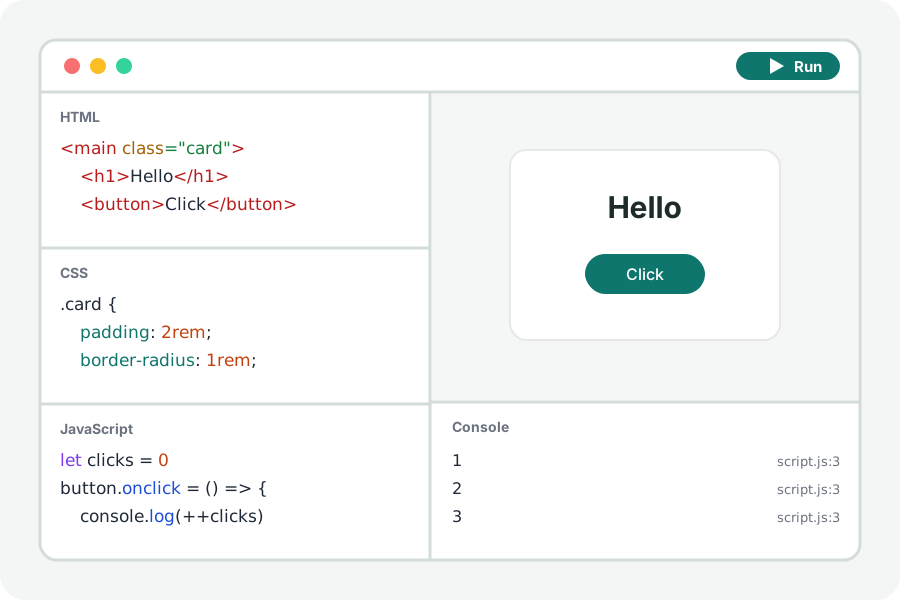
The fastest way to learn a piece of the web, or to try an idea before it goes into a project, is to write it and see it. The KeepSimp code playground gives you an editor each for HTML, CSS and JavaScript, the page they make beside them, and that page's console underneath. There is nothing to install, no account, and your code never leaves your device.
Write it, see it, in three steps.
Open the playground and press Start coding. Write the page's content in HTML, give it a look in CSS, and make it do something in JavaScript. The editors suggest tags, properties and names, close brackets and tags, and colour the code so that a mistake stands out.
The page runs again a moment after you stop typing, or when you press Run (Ctrl or ⌘ and Enter). Show it as wide as a phone, a tablet or a laptop to see how it fits each.
When it does what you want, Save writes one HTML file with everything inside, ready to open in any browser or send to someone.
A console that points at the line.
What the page writes with console.log shows under it, as a browser's own console would: objects and arrays open to show what they hold, console.table draws a table, and warnings and errors stand out. Each line says where it came from, such as script.js:12; press it to go to that line in the editor.
Type JavaScript into the console's last line and press Enter to run it in the page, with the page's own variables in reach. It is the quickest way to try a function or look at what a value holds right now.
Mistakes that cannot hurt.
A loop that never ends would freeze the tab. The playground gives every loop a check that stops it once the script has run for two seconds without a pause, and the console says which loop it was. Turn the check off in Settings for code that is meant to run that long.
The page runs in a sandbox, a frame with an origin of its own, so it cannot read the site's storage or anything else of KeepSimp's. It can still load scripts, fonts and pictures from other sites, as any page can, so those sites see that request.
Your code stays yours.
Everything runs in your browser. Nothing you write is uploaded and there is no account. Turn on Keep this project on this device and it is kept in this browser after every change, to open again when you come back; turn it off and it is deleted.
Further reading
Topics: html css js playground · online code editor · live preview · javascript console · codepen alternative · learn html · front end
A little less theory. A little more doing.
Try it on your own terms, with a free browser tool.
Try the tool