

Run JavaScript with a console that points at the line.
Run JavaScript in your browser with a real console: logs, tables, errors with their line, endless loops stopped, and packages by name. Free, no account.
By Suraj KumarUpdated 3 min read
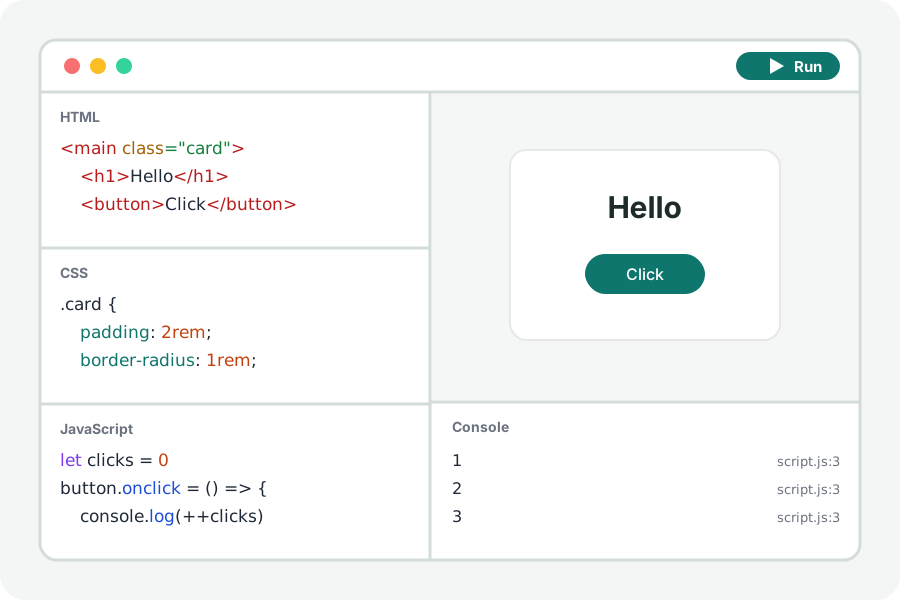
To try a function, check what an array method returns or follow a bug, you want to run code and read what it says. The JavaScript playground runs your code in a page of its own and shows its console beside it.
A console like the browser's own.
console.log, info, warn, error, table, group, count and time all show in the console under the page. Objects and arrays open to show what they hold, and each line says where it came from: press script.js:12 to go to that line.
Type JavaScript into the console's last line to run it in the page, with its variables in reach, and press the up arrow to bring back what you typed.
Loops that cannot freeze the tab.
A loop that never ends would freeze the page. Every for, while and do loop is given a check that stops it once the script has run for two seconds without a pause, and the console says which loop it was.
Import a package by its name and the page fetches it from esm.sh, so you can try a library without installing anything.
Your code stays on your device.
Everything is compiled and run in your browser. Nothing you write is uploaded and there is no account. Files from other sites that your page asks for (a package, a font, a stylesheet) are fetched by the page from those sites, as any page would.
Further reading
Topics: javascript playground · js console online · run javascript · run js in browser · javascript editor · learn javascript
A little less theory. A little more doing.
Try it on your own terms, with a free browser tool.
Try the tool