

Requests without an account.
Send API requests from your browser with collections, environments, tests and runs. Open your Postman files, and keep it all on your device, with no account.
By Suraj Kumar5 min read
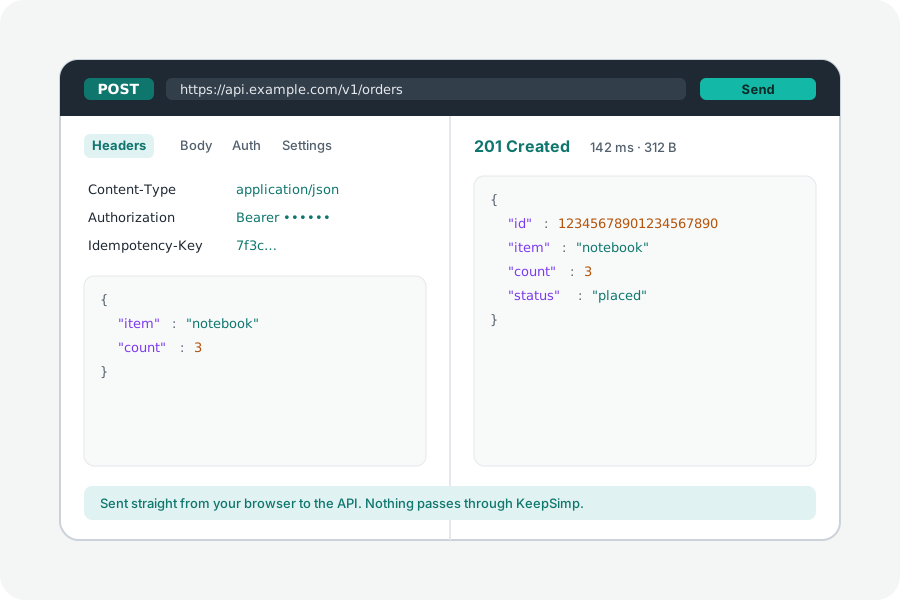
Sometimes you want to send a request and read the answer without installing an app or signing in to one. KeepSimp's API client does that in a browser tab, and opens the collections you already have.
What it does.
The API client sends requests from your browser: any method, headers, query rows, and JSON, form, multipart or file bodies, with sign-ins such as Basic, a bearer token, OAuth 2.0 with PKCE, AWS Signature Version 4 and JWTs. Requests live in collections and folders, and {{variables}} are filled in from the environment in use when a request is sent. There is no account and nothing to install.
Bring your Postman work.
Choose Bring in requests and open a Postman collection (v2.0 or v2.1) or environment, an Insomnia export, an OpenAPI 3 or Swagger 2 file, a HAR file or a cURL command. Files are read on your device, and whatever cannot be carried over is named. A collection can be saved as Postman v2.1, so the work can go back the other way.
Tests, scripts and runs.
Checks are rows: the status, the time, a header, the body, or a JSON value found by JSONPath. Scripts run a part of Postman's pm, including pm.test, pm.expect, pm.response, pm.request, the environment, collection and global variables, and setNextRequest, in a sealed frame that can reach neither the network nor the site. pm.sendRequest, require, cookies and the vault are not offered, and opening a collection says when its scripts use them.
A run sends a collection's requests in order, once or once for each row of a CSV or JSON file, and saves the result as JSON or as JUnit XML for a CI server.
What is different in a browser.
Requests are sent by your browser's own fetch, straight to the API, never through a KeepSimp server. So the browser's rules apply: an API must allow this site through CORS for the page to read its answer, and some headers, such as Cookie, are set by the browser rather than by you. A desktop app has neither limit. When a request fails, the client says why from what the page can see and what the server would have to send; it cannot get around CORS.
With no server of its own, the client has no shared team workspaces and no mock servers.
Kept on your device, only if you ask.
Collections and history are kept only while Keep collections and history on this device is on, in your browser's own storage; it starts off. A variable marked secret keeps its value only in the open window, never in what is kept or exported. A share link carries one request after the #, which browsers do not send to any server, and leaves out its sign-in unless you ask.
Further reading
Topics: postman alternative · free postman alternative · postman alternative no login · api client online · import postman collection · rest client in browser · api testing tool
A little less theory. A little more doing.
Try it on your own terms, with a free browser tool.
Try the tool