

A little know-how
Mark it as a draft, without sending it anywhere.
How to add a watermark to a PDF in your browser: DRAFT, Confidential or a logo, as faint and as large as you like, on all pages or some. And what a watermark does not do. Free, no upload.
By KeepSimp 3 min read
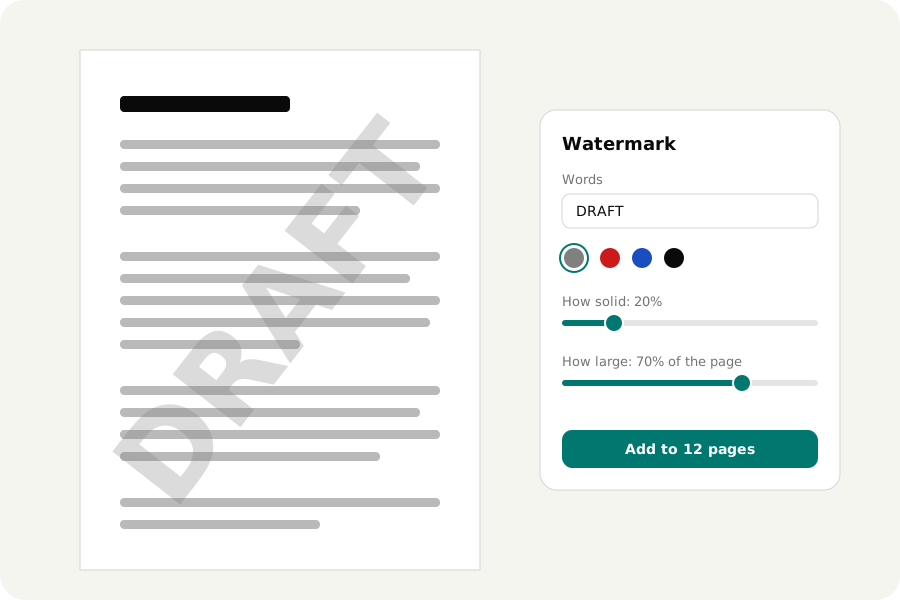
A contract goes out for comments and must not be taken for the final one. A price list goes to one customer and should say whose copy it is. A photographer's proofs need a name across them. A watermark does all of that, and the files that need one are exactly the files you would rather not upload to a website to get it. Here is how to add one on your own device.
Words across the page.
Open the PDF and the panel for watermarks is beside the pages. Type the words: DRAFT, Confidential, Copy for Ada Lovelace. They are laid over the middle of each page, from the lower left corner to the upper right, as large as the share of the page you set.
Two sliders do most of the work. How solid makes it faint enough to read through, or strong enough that it cannot be missed. How large takes it from a small mark to the whole width of the page. It can be grey, red, blue or black, and level instead of slanted.
Or a picture.
Use a picture instead and choose a logo: PNG, JPEG, WebP or AVIF. See-through parts of a PNG stay see-through. The picture is put into the file once, however many pages show it, so a logo on three hundred pages does not make the file three hundred logos larger.
All pages, or the ones you name.
Leave Pages empty for every page, or type the pages: 2- leaves a cover alone, 1-3, 7 names them, odd and even take every other page. Press Add, and the watermark is on the pages at once. One undo takes it off all of them.
On each page the watermark is a thing of its own. If it covers a signature on page four, select it there and move it, make it smaller or delete it; the other pages are not touched.
What a watermark does not do.
A watermark tells whoever reads the page something. It does not lock anything. The text under it can still be selected and copied, and a program that edits PDFs can take a watermark off again. The page under it is not changed.
If the point is that a file must not be opened, lock it with a password: the download options do that. If the point is that something must not be read at all, a watermark over it is the wrong tool, and so is a box drawn over it.
Your file stays with you.
The file is opened and marked on your own device and is never uploaded. There is no account, no limit on pages, and no watermark of ours on the result: only yours. Once the page has loaded it works without a connection, and the result is read back and checked before your browser saves it.
Further reading
Topics: watermark PDF · add watermark to PDF · PDF watermark online free · draft watermark · confidential stamp PDF · logo on PDF · text watermark · image watermark · no upload
A little less theory. A little more doing.
Try it on your own terms, with a free browser tool.
Try the tool