

A whiteboard that keeps your drawings on your device.
A free whiteboard in your browser, nothing uploaded: hand-drawn diagrams and notes, slides, PNG, SVG or PDF, and Excalidraw files. No account, no login.
By Suraj KumarUpdated 6 min read
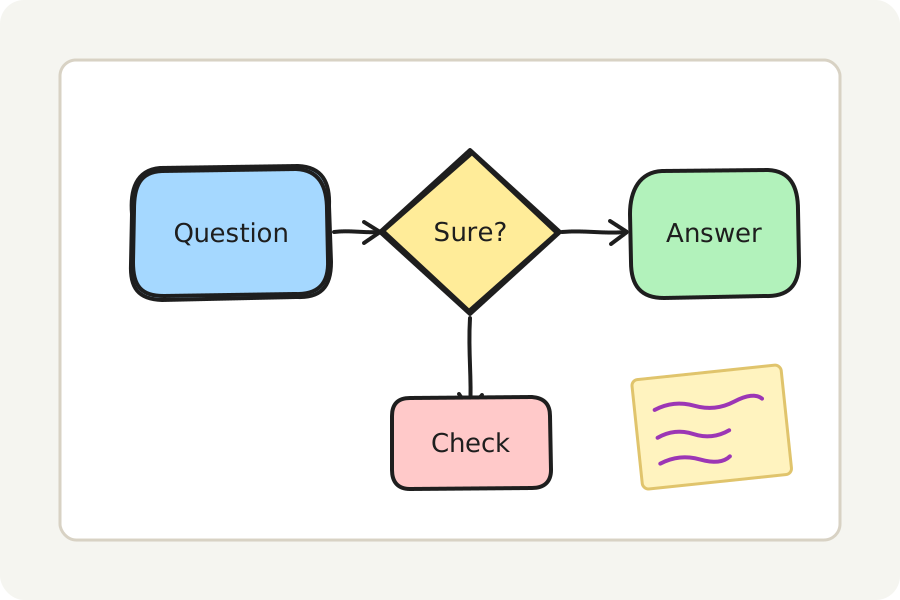
A quick diagram explains more than a page of words: how a process runs, how the parts of an answer connect, what goes where. The KeepSimp whiteboard gives you an endless board with hand-drawn shapes, arrows, a pen and words, in your browser. There is nothing to install, no account, and what you draw never leaves your device.
Draw in three steps.
Open the whiteboard and press New board. Pick a rectangle, a diamond, an ellipse, an arrow, a line or the pen in the bar at the top, or press its key (R, D, O, A, L, P), and drag on the board.
Double-click anywhere to write, or double-click a shape to write in it: the words wrap to fit and stay in the middle when the shape moves or grows. Choose things with the arrow pointer to move, resize and turn them.
Give them a look in the panel on the left: the colour of the line and the fill, hatched or solid, thin or bold, dashed or dotted, neat or rough. Then save a PNG or an SVG, or the board itself to change later.
Hand-drawn, the same every time.
Shapes look as if drawn with a marker, which keeps a sketch from looking finished before it is: people comment on the idea, not the pixels. The wobble comes from Rough.js and a number each shape keeps, so a shape looks the same every time it is drawn, on the screen and in every picture you save.
The pen follows how hard you press with a stylus, and thins and thickens like ink with a mouse or a finger too. Words are set in a handwritten font, Architects Daughter, or in a plain one or a code font when you prefer.
Diagrams that stay joined.
Draw an arrow from one shape to another and it holds them both: move a shape and the arrow follows, stopping just short of its edge. Elbow arrows go only across and down and find their way round the shapes. Choose a shape and press ⌘ or Ctrl and an arrow key to make the next step of a flowchart, already joined.
Line things up, space them evenly, group them, and draw a frame round a part of the board to keep it together. Paste two columns from a spreadsheet and they become a bar chart you can change like anything else drawn.
Pictures, a pen and slides.
Put a photo or a picture on the board by pressing Picture (9), dropping it on the board or pasting it. A photo larger than a board needs is made smaller on your device first. Double-click a picture to crop it by its sides; the rest of the picture is kept, so Show it whole brings it back.
With a stylus, once the pen has touched the board your fingers only move and zoom it, so a hand resting on the screen draws nothing. Draw a rough box, ring, diamond, line or arrow with the pen and the board offers to make it a neat one; nothing changes unless you take the offer.
Each frame is a slide. Press Present (F5) to show them in turn, full screen if you like, with the arrow keys; press and drag to point with the laser, which fades as you go. The laser (K) works on the board too.
Save a PDF with a page for each frame, or the whole board on one page. Lines and words stay sharp at any size; the words are drawn as shapes, so they cannot be selected or searched in the PDF. A PNG or SVG can be of one frame alone.
Equations, templates and diagrams for class.
Press M to write an equation in LaTeX: it is set by MathJax as you type, on your device, and goes on the board as a picture you can move and resize. Double-click it to change it; a mistake in the LaTeX is said in words before anything is put on the board.
Start from one of fifteen templates: a mind map, a flowchart, a concept map, Venn diagrams of two or three sets, a timeline, a cycle, a fishbone, SWOT, Kanban, Cornell notes, a KWL chart, a storyboard, a lab report figure or a week planner. Each is made of ordinary shapes and words, so you can change all of it.
Paste a Mermaid flowchart and it becomes shapes joined by arrows, laid out as Mermaid lays it out, ready to move and restyle; other kinds of Mermaid diagram go on the board as one picture. Type an outline, one idea a line with the details indented under them, and it becomes a mind map.
Keep what you draw often in the library and put it on any board with a press; save the library as a file, or open library files others have made. To send a board, make a link: the board is locked and carried in the link itself, after the #, which is never sent to any server. Anyone who has the link can open it.
Boards that go both ways with Excalidraw.
The board is saved as a .excalidraw file, the format Excalidraw uses, so a board made here opens there and one made there opens here. A PNG or SVG can carry the board inside it: open the picture here again and you get back shapes you can change, not just pixels.
Pictures in Excalidraw boards come across with their pixels; a picture whose pixels are missing is shown as an empty box, and the board says so. Embedded web pages are left out, and the board says what. Frames, arrows that hold shapes and elbow arrows come across as they are. Words are shown in the nearest of the three fonts and laid out again to fit.
Nothing leaves your device.
Everything is drawn and saved in your browser. Boards are not uploaded and there is no account, so a board you made for class or for work is yours alone. Turn on Keep this board on this device and it is kept in this browser after every change, to open again when you come back; turn it off and it is deleted.
Further reading
Topics: online whiteboard · free whiteboard · online whiteboard free no login · whiteboard for students · hand-drawn diagrams · mind map from outline · mermaid to diagram · flowchart maker · excalidraw file · drawing board
A little less theory. A little more doing.
Try it on your own terms, with a free browser tool.
Try the tool