

A little know-how
A Reel worth stopping for.
Make an Instagram Reel in your browser at 1080 × 1920: clips and photos, text, music and captions, with Instagram's own limits and the parts its buttons cover shown. No uploads.
By KeepSimp 6 min read
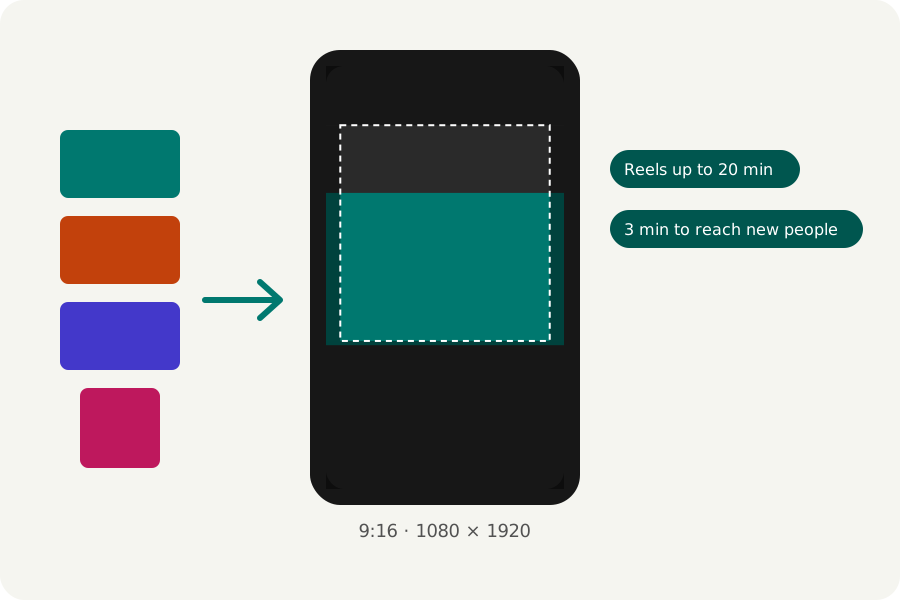
A Reel is a tall video that plays full screen, made of a few good moments. You can make one in your browser from the clips and photos you already have, without installing an app or uploading anything, and post the finished file from your phone or computer.
Tall, at 1080 × 1920.
Instagram takes a reel between 1.91:1 and 9:16, at least 720 pixels and at least 30 frames a second. A Reel fills the screen at 9:16, so open the Instagram Reels maker and the reel is made at 1080 × 1920.
Instagram lets you record and edit Reels of up to 20 minutes, but it says Reels over 3 minutes won't be recommended to new audiences. The export window tells you when your reel runs past either, and names the page that says so.
Clips, photos and words.
Drop your videos and photos in; they go on the end of the reel in the order you add them. Trim each clip by its handles in the timeline, change its speed, and move it earlier or later. A clip filmed sideways can fill the reel or sit whole with a blurred copy of itself behind, as Reels often do.
Add text in a dozen looks, stickers and logos, motion graphics such as a follow button, music and a voice-over of your own. Captions are heard from your speech on this device and timed word by word, so people watching without sound can follow.
Keep words clear of Instagram's own.
Instagram puts its buttons, your name and the caption over the bottom and the right of a Reel. Meta's guide for Reels ads asks for 14% at the top, 35% at the bottom and 6% at each side to be left free of text and logos. It is written for ads, but the buttons are the same on every Reel.
Press Safe zones at the top of the editor to shade those parts on your reel while you work. The shading is only on the page; it is never in the video.
Export it, checked.
Press Export at the top right. MP4 at 1080p, 30 frames a second and Balanced quality are chosen for you, and Instagram takes them. Meta's guide for Reels ads asks for 1440 × 2560; choose 1440p for that when your browser can write it.
The reel is written in your browser, then opened again and checked (its size, its length, that its picture and sound play and end together) before you download it. Choose a moment for the cover and you get that frame as a PNG beside it. Nothing is uploaded at any point.
Further reading
Topics: make an instagram reel · instagram reels maker · instagram reel size · instagram reel length · reels safe zone · reel from photos · reel editor online
A little less theory. A little more doing.
Try it on your own terms, with a free browser tool.
Try the tool