

An MKV, made into an MP4 that more things play.
Convert MKV videos to MP4 in your browser, copied without encoding when the codecs fit and encoded when they must. Nothing is uploaded; every file is checked.
By Suraj Kumar3 min read
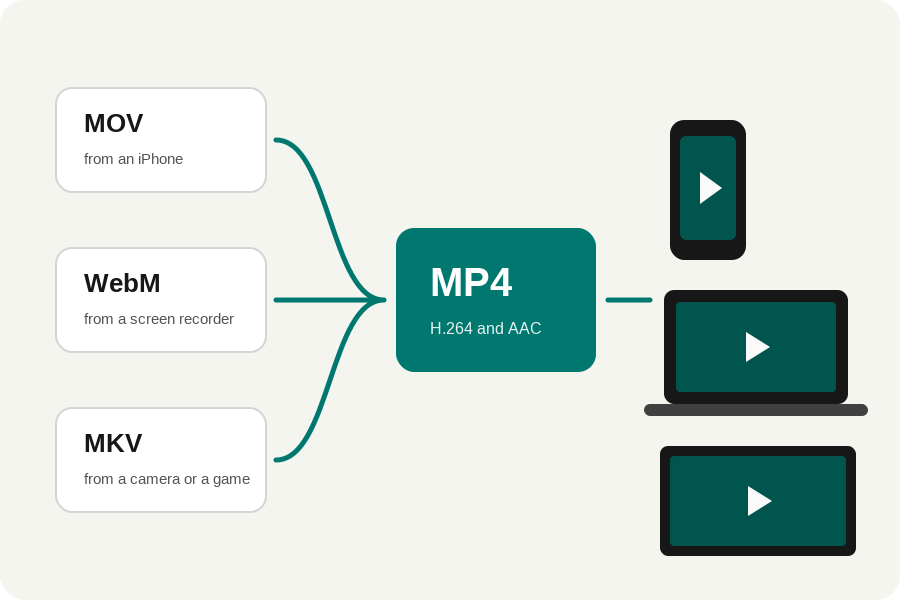
MKV holds almost any picture and sound, which is why screen recorders, cameras and downloads use it, and why phones, editors and TVs often refuse it. MP4 plays nearly everywhere. The KeepSimp MKV to MP4 page converts in your browser, and the video never leaves your device.
When it is copied.
When the MKV's picture is H.264 or HEVC and its sound AAC or MP3, they go into the MP4 as they are, in seconds, with nothing lost.
Otherwise the part that does not fit is encoded again: a VP8, VP9 or AV1 picture becomes H.264 so the MP4 plays everywhere, and sound such as Opus, AC-3 or DTS becomes AAC. If your browser cannot decode the sound, the page says so and offers to keep the file as MKV or leave the sound out.
How to do it.
Open MKV to MP4 and drop your videos, up to twenty at a time. Press Export, leave Where will it go? on Keep the quality, and press Save. The page says which parts are copied and which are encoded, and why.
Each MP4 is opened again and checked before it is offered: its picture, its sound, its length and its first and last frames. Download one, or all of them as a ZIP.
Subtitles and extra tracks.
An MKV can hold several sound tracks, subtitle tracks and chapters. The MP4 gets the main picture and the main sound only: sound in other languages, the file's own subtitles and its chapters are not carried over.
If you have the subtitles as an SRT or WebVTT file, Add subtitles to video writes them onto the picture. They then always show, as they are part of it.
Large files and long films.
Videos are written to your browser's own storage on the device as they are made, never held whole in memory, so a long film is fine where the disk has room.
A copy is quick. Encoding a long film in a browser takes a while, so leave the page open until it is done. To make it smaller at the same time, turn on Must be under a size? and choose a size.
Further reading
Topics: mkv to mp4 · convert mkv to mp4 · mkv to mp4 converter · mkv to mp4 without losing quality · mkv to mp4 no size limit · obs mkv to mp4 · remux mkv to mp4
A little less theory. A little more doing.
Try it on your own terms, with a free browser tool.
Try the tool