

An iPhone video, as an MP4, in seconds.
Convert iPhone and Mac MOV videos to MP4 in your browser, copied without encoding when they can be, so nothing is lost. Nothing is uploaded.
By Suraj Kumar3 min read
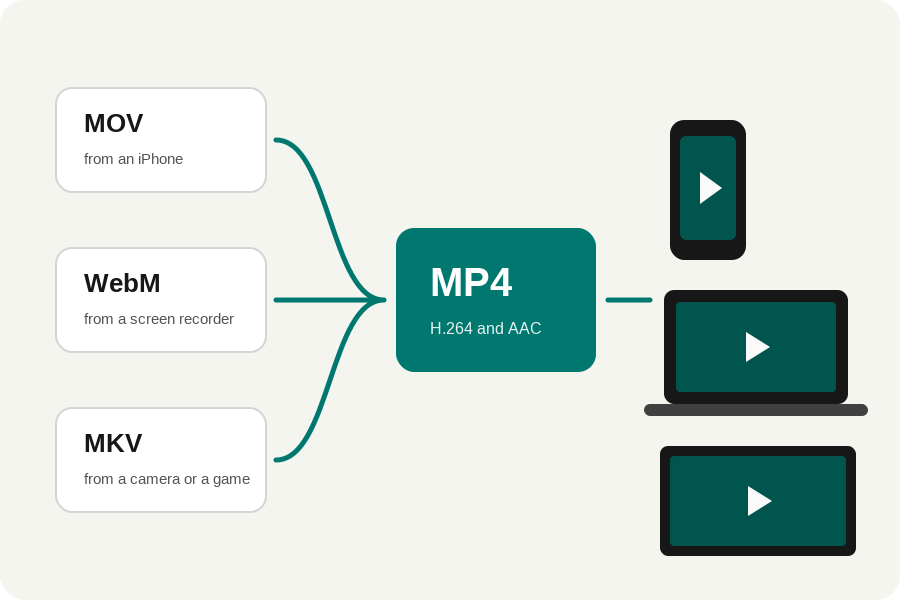
iPhones and Macs record MOV files, and a Windows app, a website or a TV may want MP4. Often the picture inside does not need to change at all. The KeepSimp MOV to MP4 page puts it into an MP4 in your browser, so the video never leaves your device.
Copied, not encoded.
MOV and MP4 are close relatives. When the picture is H.264 or HEVC and the sound AAC, as an iPhone records them, both are copied into the MP4 as they are: nothing is lost, and it takes seconds rather than minutes.
The page says whether the picture is copied or encoded again, and why. The phone's turn stays a setting that players follow, so an upright video stays upright.
How to do it.
Open MOV to MP4 and drop your videos, up to twenty at a time. Press Export, leave Where will it go? on Keep the quality, which copies wherever nothing has to change, and press Save.
Each MP4 is opened again and checked before it is offered: its picture, its sound, its length and its first and last frames. Download one, or all of them as a ZIP.
HEVC or H.264.
An iPhone records HEVC unless Most Compatible is chosen in its camera settings. HEVC plays on Apple devices and most recent phones and computers, but not on every older computer or TV.
For an MP4 that must play on anything, choose H.264 as the codec under More options: the picture is then encoded again, which takes longer, at a bitrate never higher than the original holds. WhatsApp or email does the same and also keeps it to 720p.
What it keeps.
The picture and the sound are kept. A video's own subtitles and chapters are not carried over, and when the picture is encoded again an HDR video is written without being toned down for ordinary screens; the page says so.
The MP4's index is moved to the front, so it starts playing before it has all loaded. Videos are written to your browser's own storage on the device as they are made, so a long one is never held whole in memory.
Further reading
Topics: mov to mp4 · convert mov to mp4 · iphone video to mp4 · mov to mp4 without losing quality · mov to mp4 on windows · quicktime to mp4 · mov to mp4 converter
A little less theory. A little more doing.
Try it on your own terms, with a free browser tool.
Try the tool