

A video that fits in an email.
Shrink a video to fit an email attachment in your browser, with nothing uploaded: Gmail's 25 MB limit, several clips at once, and iPhone videos as MP4.
By Suraj Kumar4 min read
Phones record large videos: a minute can be well over 100 MB. Email takes far less. Here is how to bring a video under an email limit in your browser, without uploading it anywhere first, and how to choose a size when you are sending more than one.
How much email takes.
Gmail's help page says a personal account can send up to 25 MB of attachments in a message. Larger files are taken out and sent as a Google Drive link instead. For a work or school account, the administrator sets the limit.
Other services set their own limits, and the receiving side can refuse a large message too. If you do not know the limit, a smaller size such as 10 MB is more likely to get through.
Two ways to make it smaller.
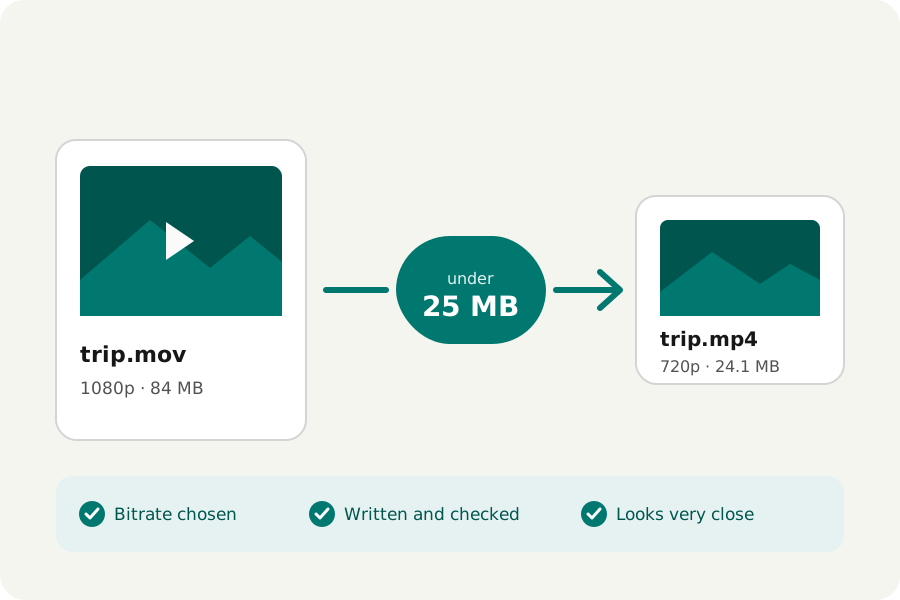
Open the Video compressor and drop the video. Under Must be under a size?, choose 25 MB for Gmail, or 10 MB to be safe. The page works out the bitrate, writes the video, checks it and offers one large Download. A file already under the limit is copied as it is.
If you have no exact limit, answer Where will it go? with WhatsApp or email instead, which turns the size switch off. That writes a small MP4 at no more than 720p and 30 frames a second, which looks fine on a phone or in a mail window. Either way the page says the new size and how close the video looks to the original.
Several videos in one message.
The size limit applies to each file, while Gmail's 25 MB is for all the attachments of a message together. To send three clips in one email, choose Custom and type a third of the limit, about 8 MB, for each. You can drop up to 20 videos at once and download each one, or all of them as a ZIP.
A long video can only get small by losing detail. Trim it to the part that matters first, and it keeps more.
Writing takes as long as your own device needs to encode the video, and the page says which pass is running. A video that comes out too large is written again with less, at most three times, so it is never offered over the limit.
iPhone videos become MP4.
An iPhone saves video as MOV, often with HEVC, which some computers cannot play. The compressor writes MP4 with H.264, which plays nearly everywhere, so the person you send it to does not need anything special to open it.
If you only need the format changed and not the size, the Video converter copies the picture into MP4 without encoding it again where it can.
Nothing leaves your device.
The video is read and written by your browser. It is not uploaded to KeepSimp or anyone else, and there is no account and no watermark. What you send by email is, of course, sent by your email service.
Further reading
Topics: compress video for email · video too big for email · compress video for gmail · gmail attachment size limit · email video attachment · shrink video for outlook · reduce video size for email · compress iphone video for email
A little less theory. A little more doing.
Try it on your own terms, with a free browser tool.
Try the tool