

Find every number before you send it.
Find e-mail addresses, phone, card and ID numbers in a PDF, nothing uploaded: each listed for you to look over, then marked and taken out for good.
By Suraj Kumar4 min read
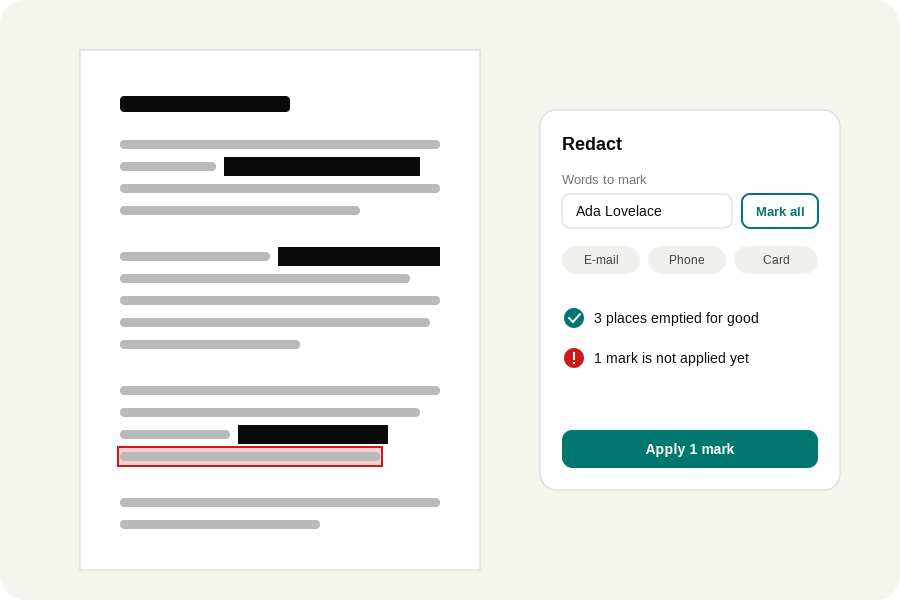
A contract, a CV or a bank letter can hold a dozen personal details scattered across its pages: e-mail addresses, phone numbers, an account number, an ID number, a date of birth. Searching for each by hand is slow and easy to get wrong. Find and mark looks through every page for them on your own device, lists what it found for you to look over, and marks only what you keep ticked.
What it looks for, and how it checks.
E-mail addresses and phone numbers are found by how they are written: a name, @ and a domain; 7 to 15 figures with a +, in groups, or as ten figures in a row. Dates, hours, years and amounts are passed over.
Numbers that carry a check are checked, so a number that only looks like one is left alone. A card number needs its Luhn check figure and a major network's opening figures. An IBAN needs its country's length and its mod-97 check. An Aadhaar number needs its Verhoeff check figure, a PAN the letter for a kind of holder, and a US Social Security number must not be one the SSA never issues. A date of birth is only found after a label such as DOB or Date of birth.
Names, and any words of your own, are found as the editor's Find finds them, across a line break and whatever the capitals. A regular expression is run on a separate worker and stopped after two seconds.
Look the list over, then mark.
Press Find and mark in the redact tools, choose what to look for and press Find. Every place is listed by kind with its page and the words around it, and each is ticked. Untick anything that should stay, such as your own office number, and press Mark. Each place becomes one ordinary red mark, the same as one drawn by hand, and all of them are one step that Undo takes back.
A mark takes nothing out. Look the pages over, then press Apply: the letters under each mark are removed from the file, the page is read back to check that none can still be read, and a black box is drawn where they were. The download warns if a mark was left unapplied.
What patterns cannot find.
A pattern only reads the words a file has as text. A scanned page is a picture: recognise its words first with OCR, then look again. A number inside a photo, a stamp or a logo is never found, and neither is one written an unusual way, such as with words between its figures. Faces and signatures have to be marked by hand as areas.
So treat the list as a head start, not a guarantee, and read the pages yourself before you apply. Everything happens on your device: the file, the list and the result are never uploaded.
Further reading
- RFC 5322, Internet Message Format, section 3.4.1 (opens in a new tab)
- ITU-T E.164, the international numbering plan (opens in a new tab)
- Payment card number and issuer identification numbers, Wikipedia (opens in a new tab)
- IBAN, the International Bank Account Number, SWIFT (opens in a new tab)
- Verhoeff algorithm, Wikipedia (opens in a new tab)
- Permanent account number, Wikipedia (opens in a new tab)
- Social Security Number Randomization, SSA (opens in a new tab)
Topics: redact personal information from PDF · find personal data in PDF · redact phone numbers in PDF · redact email addresses in PDF · redact credit card numbers PDF · redact Aadhaar number · redact social security number PDF · PII redaction PDF
A little less theory. A little more doing.
Try it on your own terms, with a free browser tool.
Try the tool