

Send the file, not its history.
What PDF, Word, Excel and PowerPoint files hide (authors, comments, dates, paths, printers) and how to take it out on your device, checked after.
By Suraj Kumar5 min read
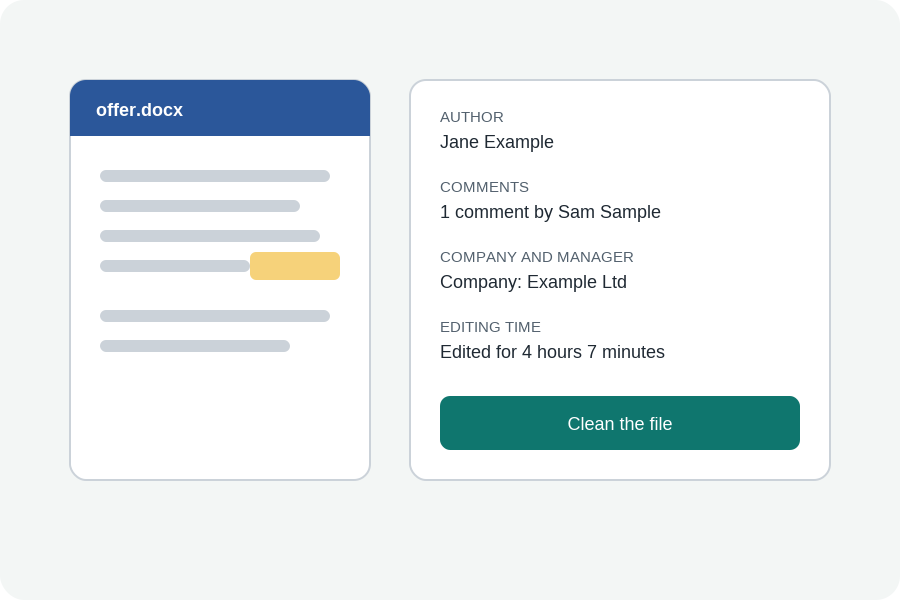
A document carries more than its words: who wrote it, who saved it last, when, with what, for how long, the comments left in it and the folders it came from. The Document cleaner lists all of it with the actual values, then takes out what you choose, in your browser.
What a document says about itself.
Word, Excel and PowerPoint files are ZIPs of parts. Beside the text sit the document's properties (author, last saved by, company, manager, dates, editing time, the program), comments with the names of the people who wrote them, a preview picture of the first page, printer settings with the printer's name, the path of the template or of the folder a workbook was saved in, and data other programs such as SharePoint keep there.
A PDF keeps its own details (author, the programs that made it, dates, title) and often a second copy of them in XMP. It can also carry the names and dates on comments, attached files, scripts that run when it opens, small previews of its pages and data private to the program that made it. Photos inside either kind can carry their camera and the place they were taken, as on their own.
Listed first, then taken out.
Drop one file or many. Each is opened in your browser and every kind of hidden detail found is listed with its values, such as “Author: Jane Smith” or “12 comments by 3 people”. Then answer “What should go?”: everything that names people or places (recommended), everything listed, or Let me choose, which turns lines on and off one by one.
Office files are changed only in the parts that hold what you chose; every other part is kept byte for byte. PDFs are written whole by MuPDF, so nothing taken out stays behind as an older version. Each copy is then opened again: it is offered only when nothing chosen is left and its words read the same as before.
What it leaves to you.
Tracked changes in Word are listed with who made them and never changed, because deciding them needs a full editor: accept or reject them in Word, then clean the file again. Hidden sheets in Excel are listed and kept. A signed PDF loses its signature when it is cleaned, and the list says so first.
Nothing here reads the words, slides, cells or pictures themselves, or the file's name. A name typed into the text, a face in a photo or a name in a font stays. Read the file once more before you send it.
Further reading
- Remove hidden data and personal information by inspecting documents, presentations, or workbooks, Microsoft Support (opens in a new tab)
- ECMA-376, Office Open XML file formats, Ecma International (opens in a new tab)
- Document management, Portable document format, Part 1: PDF 1.7 (ISO 32000-1), Adobe (opens in a new tab)
- XMP specification, Adobe (opens in a new tab)
Topics: remove hidden data from documents · document metadata remover · remove personal information from file · document inspector online · clean document before sending · remove author from file
A little less theory. A little more doing.
Try it on your own terms, with a free browser tool.
Try the tool