

A Word file without its people.
Remove the author, company, comments, people, template paths and hidden revision numbers from a .docx in your browser, with every other part kept as it was.
By Suraj Kumar5 min read
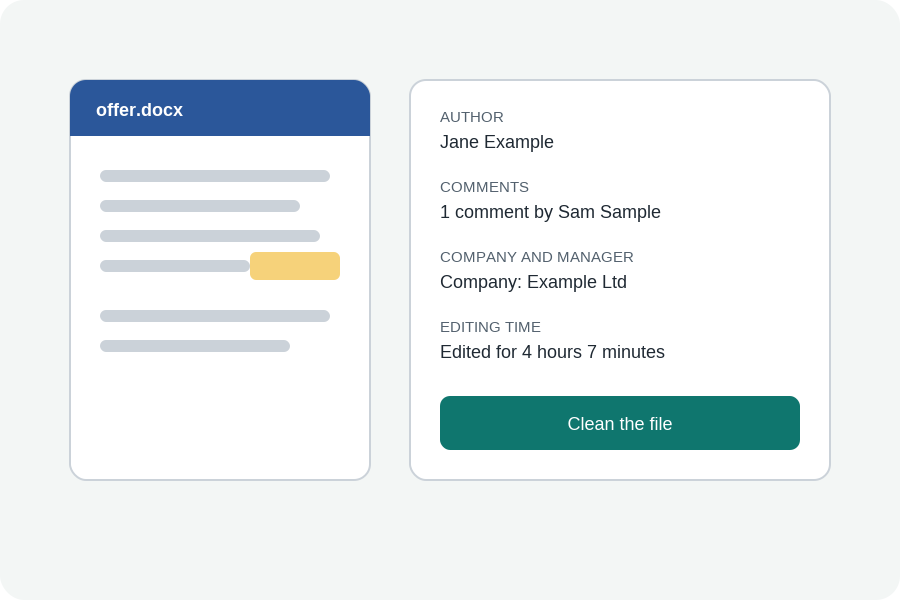
A .docx keeps the names of who wrote it, who saved it, who commented and who changed what, and often the path of the template on someone's computer. Drop it here to see all of it, then take out what you choose without touching the rest.
Where a Word file keeps names.
The document's properties hold the author, who last saved it, the company and manager, dates, how long it was edited and how many times it was saved. Comments carry their writers' names, and a separate list of people can hold their email addresses. The settings can point to a template by its full path, such as C:\Users\jane\…, and keep variables a template or macro left.
Word also writes hidden revision numbers into nearly every paragraph, which can show which files were edited on the same computer, and a preview picture of the first page. Photos pasted in can carry their camera and the place they were taken.
Only the parts that hold them change.
Choose Everything that names people or places, Everything listed, or Let me choose. Only the parts of the file that hold what you chose are changed: comments are taken out with their marks in the text, properties lose the lines chosen, and the list of the file's parts is kept in step so Word opens it. Every other part is kept byte for byte.
Photos lose their metadata byte by byte, the way the Photo metadata tool removes it, so not one pixel changes. The copy is then opened again and its words read by a second reader (mammoth) to check they are the same.
Tracked changes stay yours to decide.
Tracked changes are listed with how many there are and who made them, and never changed here: each one has to be accepted or rejected, which needs a full editor. In Word, open Review and choose Accept or Reject, save, then clean the file again so the names go too.
Old .doc files and files locked with a password cannot be opened here. Save a .doc as .docx in Word or LibreOffice first.
Further reading
Topics: remove metadata from word · remove author from word document · docx metadata remover · remove personal information word · remove comments from word · clean word document before sending
A little less theory. A little more doing.
Try it on your own terms, with a free browser tool.
Try the tool