

Unzip a file without sending it anywhere.
Unzip a file in your browser, with nothing uploaded and no size limit but your device's: take out every file into a folder, one folder or just one file.
By Suraj Kumar4 min read
Most online unzippers send your archive to their server, unpack it there and hand the files back. That means a wait, a size limit, and a copy of your files on someone else's computer for a while. KeepSimp unzips in your browser instead. The archive is read from your disk, and the files go back to your disk.
How it works without an upload.
The page reads the archive in a worker, a part of the page that runs beside it, so it stays responsive with a large file. Files are written straight into a folder you choose, or into the browser's own private storage for this site while they are made, and then handed to you as a download. That storage is emptied when you leave the page.
Nothing in the archive is sent anywhere, so there is no upload to wait for and no limit to pay around.
Three steps.
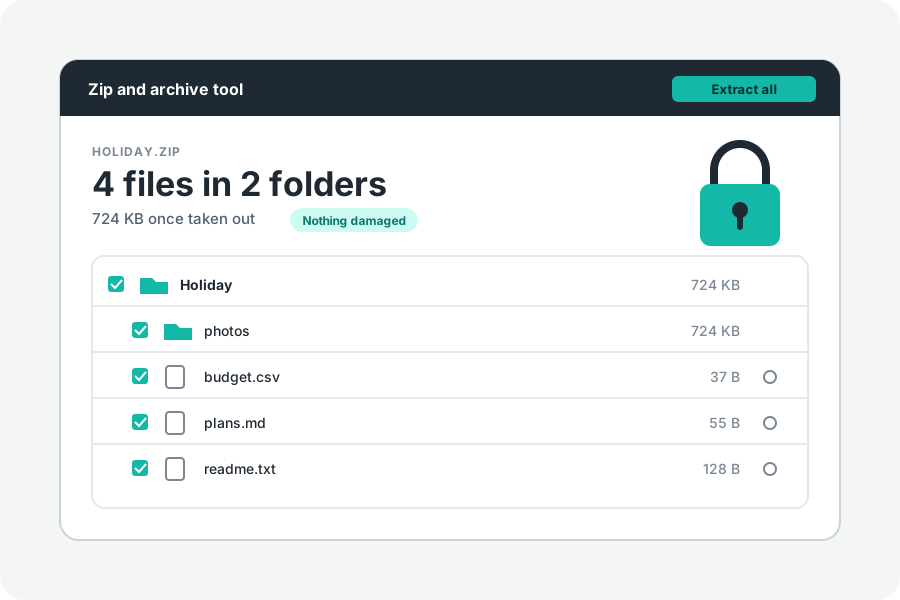
Open Unzip online and drop the ZIP on it. Every file is listed and chosen. Untick what you do not need, or tick a folder to take just that folder. Then press Extract all into a folder, or Download.
A ZIP cut into parts (.z01, .z02 … .zip, or .001, .002 …) is opened by choosing every part at once. A locked one asks for its password first.
Into a folder, in Chrome and Edge.
On a computer, Chrome and Edge let a page write into a folder you choose. Press Extract all into a folder, pick or make a folder, and allow the page to edit files in it. The files are written inside it with their own folders, one after another, and the page says how many were written.
The page can write only inside the folder you chose. A file that cannot be written there is reported, with the reason, and the rest carry on.
In Safari, Firefox and on phones.
These browsers cannot write into a folder. Download then saves one file as it is, or several as one ZIP with no password, which your computer or phone opens by itself. That ZIP is not packed again, so it is as large as the files in it. Each row of the list has a download button of its own as well.
Large archives.
Archives are read a piece at a time and never held whole, so a file of many gigabytes opens. What limits it is the space on your disk. Stop ends a long job at once.
To guard against archives built to fill a disk, taking out stops when more than 64 GB would be written in all, or when, past the first 1 GB, what comes out is more than a thousand times the size of the archive. More than 200,000 entries are left out. The page says why it stopped.
Further reading
Topics: unzip online · unzip files online free · extract zip online · unzip without uploading · unzip large files online · extract one file from zip · unzip to folder · online zip extractor
A little less theory. A little more doing.
Try it on your own terms, with a free browser tool.
Try the tool