

Test every mouse button, the wheel and the rate.
Click every button of your mouse, side buttons too, scroll its wheel and see how many moves a second reach your browser. Free, nothing sent anywhere.
By Suraj Kumar3 min read
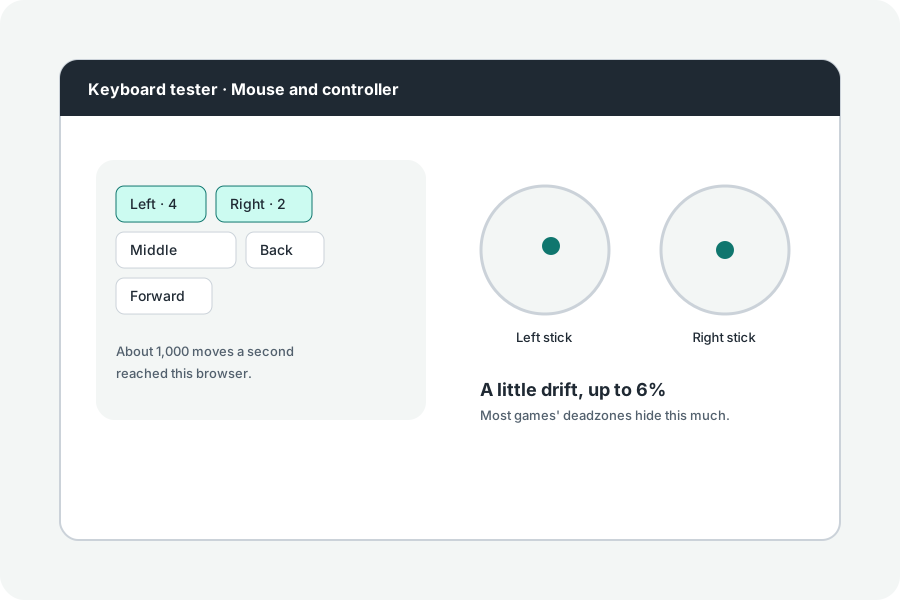
A side button that does nothing, a wheel that skips, a click that comes twice: the mouse test shows each, in your browser.
The wheel.
Scroll both ways over the box: the steps each way are counted, with whether your wheel reports lines (notched wheels, usually) or pixels (smooth wheels and touchpads).
How many moves a second.
Move the mouse in circles and the test counts the moves that reach the browser each second, which is close to the mouse's polling rate up to about 1,000. Browsers can join or drop moves above that, so it says what reached the page, not what the mouse sends.
Further reading
Topics: mouse test · mouse button test · mouse tester · polling rate test · side button test · mouse click test
A little less theory. A little more doing.
Try it on your own terms, with a free browser tool.
Try the tool