

What was said in a video, as text.
Turn the speech in an MP4, MOV or WebM video into text in your browser, with nothing uploaded: Whisper on your device, corrected by you, saved as text or Word.
By Suraj Kumar4 min read
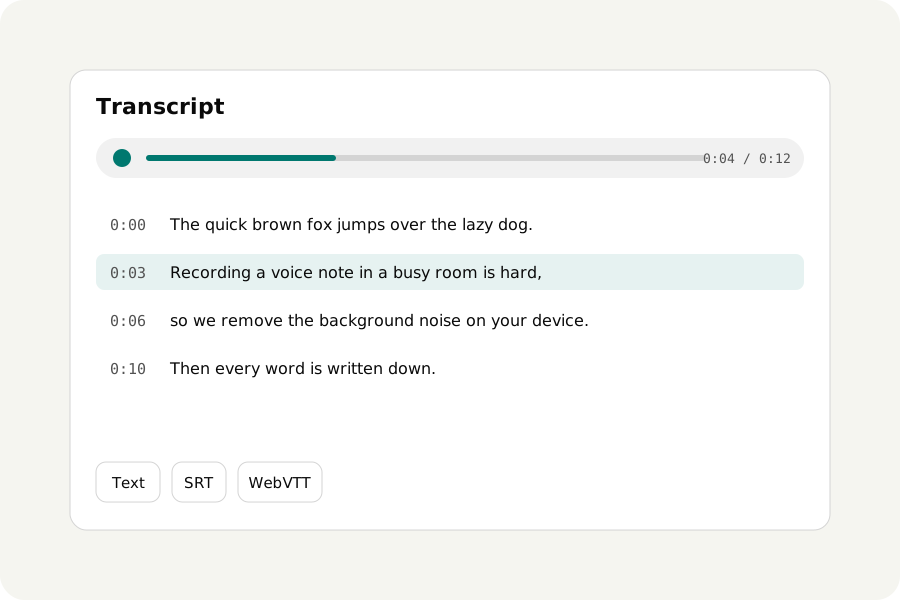
A recorded meeting, a lecture or an interview on video often holds an hour of talk you need as words. Transcribe audio reads the sound of the video in your browser and writes down what is said with Whisper, a speech recognition model that runs on your device. The video is never uploaded.
Drop the video, read the words.
Open Transcribe audio and drop your video: MP4, MOV, WebM, MKV and MPEG-TS are read, as well as sound files. There is no need to take the sound out first; only the sound is used. The transcript opens at once and the words arrive as Whisper hears them, with how long is left.
Two questions come first. What language is it in? is found by itself unless you choose one. How carefully should it listen? has two answers: Fast, for clear speech, and Accurate, better with accents, noise and other languages but slower.
Read it with the sound, and correct it.
Every word keeps its time. Click a word to hear it, or a paragraph's time to play from there, and the word being said is lit as it plays. Press Correct to fix a name or a word Whisper misheard, or find and replace one everywhere at once. Corrections can be undone, and the words as heard are kept beside them.
Whisper can mishear, and on long silence or music it can write phrases nobody said. The phrases it is known to make up are underlined, with a button to take each one out. Transcribe audio does not say who is speaking, so add names yourself where you need them.
Text, Word or subtitles.
When it is ready, the page says how many words, how long and in what language. Then What do you need? Text in paragraphs, Subtitles as an SRT file, or a Word document with the time before each paragraph. Text with times, a phrase a line, WebVTT and JSON are under More options. Every file is made from your corrected text.
To put the words on the video itself, save SRT and open the video in Add subtitles to video, which writes them onto the picture.
How long it takes.
Whisper runs on your own computer, so speed depends on it. Fast takes about a third of the recording's length on a laptop; Accurate takes about three times as long as Fast. The model is downloaded from KeepSimp the first time, about 107 MB for Fast or 280 MB for Accurate, and kept for working offline after that.
A noisy recording reads better after cleaning. Open the video in Remove background noise, which reads a video's sound, save the cleaned sound and transcribe that.
Nothing is uploaded.
The video is read and transcribed in your browser. There is no account and no limit on how much you transcribe. Transcripts are kept on this device only if you turn on the switch to keep them, which starts off; the sound is never kept.
Further reading
Topics: video to text · transcribe video to text · mp4 to text · transcribe meeting recording · transcribe lecture video · video transcription free · transcribe video without uploading
A little less theory. A little more doing.
Try it on your own terms, with a free browser tool.
Try the tool