

Small enough for Discord.
Make a video fit Discord's upload limit in your browser, with nothing uploaded and no watermark: set the size, trim it shorter, and see how close it looks.
By Suraj Kumar4 min read
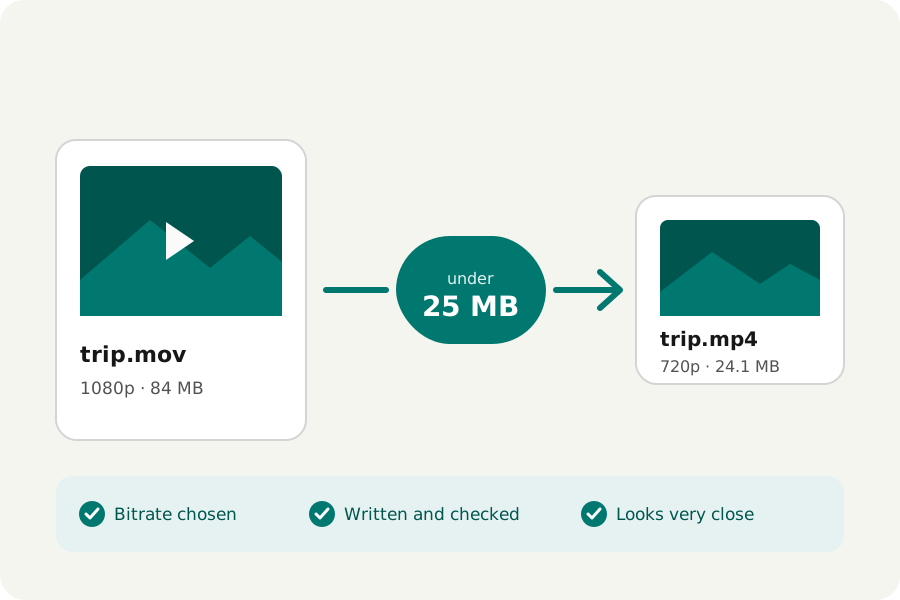
A clip from a game or a call is often too large for Discord. Most compressors want the whole file uploaded to them first. KeepSimp's video compressor works in your browser instead: you tell it the size, it writes the video to fit, checks it, and says in words how close it still looks.
Discord's limit, as Discord states it.
Discord's File Attachments FAQ, read on 1 November 2026, says that without Nitro the largest file you can upload is 20 MB, raised from 10 MB in August 2026. Nitro Basic takes 50 MB and Nitro up to 1 GB. Many older guides still say 8 or 10 MB, so check Discord's own page if a file is refused.
The limit is for each file. A video a little under it is enough; there is nothing to gain from making it smaller than it needs to be.
Set the size, then download.
Open the Video compressor and drop your video, or up to 20 at once. It opens with Must be under a size? already on, at half of each file. Choose Custom and type 19 for a free account, a little under 20 MB, because apps do not all count a megabyte the same way (KeepSimp counts 1,048,576 bytes). With Nitro Basic, choose 50 MB.
The page works out a bitrate for the picture and the sound, writes the video as an MP4 that plays everywhere, opens it again to check it, and offers one large Download. A video that is already under the limit is copied as it is.
Shorter looks better.
A size is a budget of bits shared over the whole length. At 20 MB, a one-minute clip gets about 2.8 Mbit/s, which is enough for a clear 720p picture. A five-minute clip gets about 0.56 Mbit/s, and it will look soft whatever tool makes it.
So cut it to the moment first. The Video trimmer keeps one part, removes parts from the middle or splits a long recording into several files, and copies the picture without encoding where it can. Then compress the shorter clip.
The result, said in words.
When it is done, the page says it plainly: your video is now 18 MB, was 64 MB, 72% smaller. Under that it says how close it looks, measured by comparing six frames of the result with the original: hard to tell apart, very close, close but a little softer, or noticeably softer.
When the bits are too few for the picture's size, the compressor first brings more than 30 frames a second down to 30, then makes the picture smaller step by step, and says what it chose. A browser's encoder sometimes will not come down to the bitrate it is asked for; then the video is written again smaller, at most three times, and never handed over larger than the limit. If even 240p cannot fit, the page tells you the smallest size the video can come to.
A loop instead of a clip?
For a reaction or a short loop, a GIF or an animated WebP can be what you want. Keep it to a few seconds: a GIF holds every frame as a picture, so it grows quickly with length and size. For anything longer than a moment, an MP4 is smaller for the same look.
Everything here happens in your browser. The video is never uploaded, there is no account, and nothing is added to the picture.
Further reading
Topics: compress video for discord · discord video compressor · discord file size limit · video too big for discord · compress mp4 for discord · discord 20mb limit · make video smaller for discord · no watermark
A little less theory. A little more doing.
Try it on your own terms, with a free browser tool.
Try the tool