

Cut, fade and clean up a recording.
Edit audio in your browser with nothing uploaded: cut, fade, change the volume, take out noise, even out loudness and save as MP3, M4A, FLAC or WAV. Free.
By Suraj Kumar5 min read
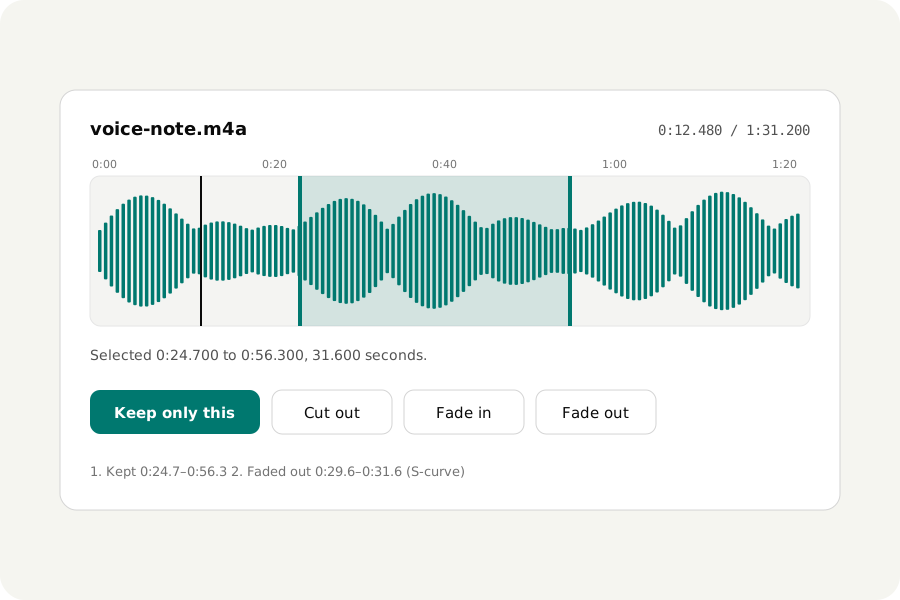
Most sound needs only a little work: a cough cut out, a fade at the end, a quiet voice made louder, a hum taken away. The Audio editor does those in your browser, on files that never leave your device, and checks each result before you download it.
Open, select, edit.
Open the Audio editor and drop up to 50 files: MP3, M4A and AAC, Opus, Ogg, FLAC, WAV, AIFF, or the sound of a video. Drag across the waveform to choose a part, type its start and end, or press I and O at the playhead.
Then keep it, cut it out, silence it, fade it in or out, or turn it up or down. Each edit is a step that can be undone, and the file itself is never changed. Wherever something is cut, the sound fades over 4 milliseconds so the join does not click.
Press M to drop a marker at the playhead, for a place to come back to or to split at later. Zoom in on the waveform to cut between two words, and the loudness over time is drawn under it. The Voice recorder records your microphone straight into the editor, and its take is kept a second at a time as it comes.
Clean it up.
Under More options: background noise taken out by RNNoise, a model made for voices; mains hum at 50 or 60 Hz; clicks; harsh s sounds; an equaliser for bass, middle and treble; and a compressor that evens out a voice. The Original and Result switch plays the two from the same moment so you can compare.
Loudness can be set to a target such as −14 LUFS or −16 LUFS for podcasts, with a limiter so nothing goes over its ceiling.
Split, join, speed and tags.
The tools beside the files split a recording at markers, at pauses or every few minutes, join files one after another with a gap or a crossfade, and edit the title, artist and cover art. Speed and pitch change apart from each other, and a recording can be played backwards.
It is not a multitrack editor: files are joined one after another, not laid on top of each other. To put music under a voice in a video, use Add music to video or the Reel maker.
Save it, checked.
Save as MP3, M4A, Opus, FLAC, WAV or M4R for an iPhone ringtone. An edited sound is always encoded again, because an MP3 or AAC file can only be cut between its frames of 20 to 26 milliseconds. Every result is decoded again and checked before it is offered, and MP3 and M4A files carry the information players need to play them without a gap at the start.
The page says what you get in words: the size, the length and how it compares with the original.
Nothing is uploaded.
Every file is read, edited and written in your browser. There is no account and no limit on how many files you edit, and once the site has been opened the editor works offline too.
Further reading
Topics: online audio editor · free audio editor · edit mp3 online · audio editor no download · cut and fade audio · edit audio in browser · audacity alternative online
A little less theory. A little more doing.
Try it on your own terms, with a free browser tool.
Try the tool