

Open a RAR file without installing WinRAR.
Open a RAR file in your browser with nothing uploaded: see every file inside, preview them, and take out all, some or one. RAR4 and RAR5, solid RAR5 too.
By Suraj Kumar4 min read
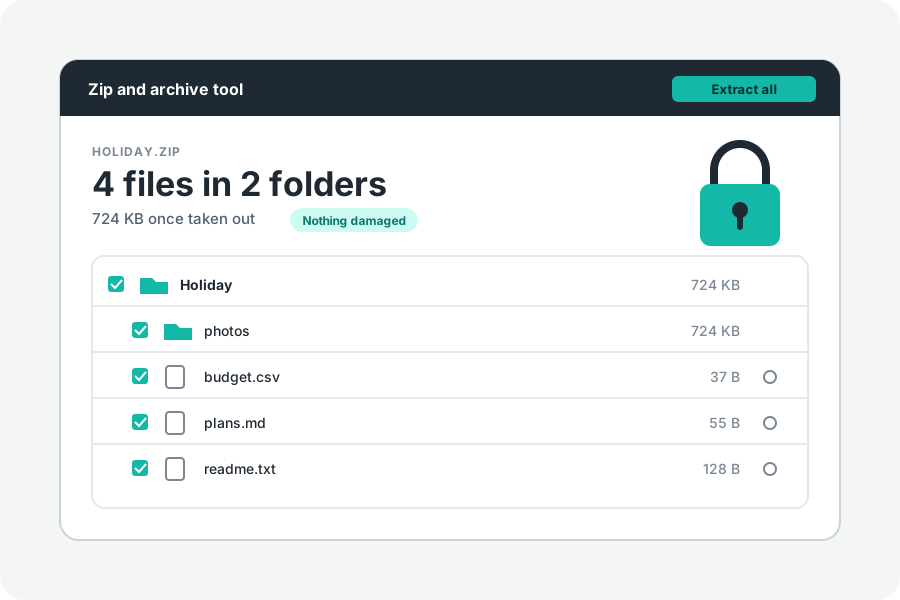
A RAR is an archive made by WinRAR. Many computers and phones need a program to open one, and the usual answer is to install it. You do not have to: KeepSimp opens RAR files in your browser, and nothing is sent anywhere.
See inside first, then take out.
Open Extract a RAR file and drop the RAR on the page. Its list of files is shown first, with their folders and sizes, before anything is taken out. Pictures, text, sound and video can be previewed in the page.
Then take out everything, a folder, or just the files you tick. One file downloads as it is. Several come as one ZIP, or, in Chrome and Edge on a computer, go straight into a folder you choose.
Which RAR files open.
RAR has two versions in use: RAR4, the older one, and RAR5, which newer versions of WinRAR write. Both open here, and so do solid RAR5 files. A solid RAR4 file cannot be opened yet: the page says so.
A solid RAR packs all its files together as one stream, which makes it smaller. To reach a file near the end, everything before it has to be unpacked, so taking out one file can take as long as taking out them all.
A RAR in parts is named name.part1.rar, name.part2.rar and so on, or name.rar with name.r00, name.r01 beside it. Choose every part at once; one part alone cannot be read whole.
Every file is checked as it comes out.
A RAR keeps a checksum for each file. As each file is taken out, it is checked against that checksum. A file that does not match is named as damaged.
A RAR with a password.
A RAR locked with a password cannot be opened here yet. The page says that it is locked, rather than pretending to open it. ZIPs with a password open as before, with the password you were given.
Making a RAR is WinRAR's job.
RAR is RARLAB's own format, and only WinRAR makes RAR files. This tool opens them but never makes them. To send files to someone, make a ZIP, which every computer and phone opens by itself, or a tar.gz. To pass a RAR on as a ZIP, turn it into one.
Everything happens in your browser: the RAR is read on your device and its files are written there. Files taken out get today's date, not their own, and no permissions, and links inside are listed and never made.
Further reading
Topics: open rar file · open rar without winrar · extract rar · rar extractor online · unrar online · rar file opener · rar5 · solid rar
A little less theory. A little more doing.
Try it on your own terms, with a free browser tool.
Try the tool