

A CRC error means a file did not come out as it went in.
Check a ZIP in your browser, with nothing uploaded: every file is read in full and compared with its checksum, and the damaged ones are named.
By Suraj Kumar4 min read
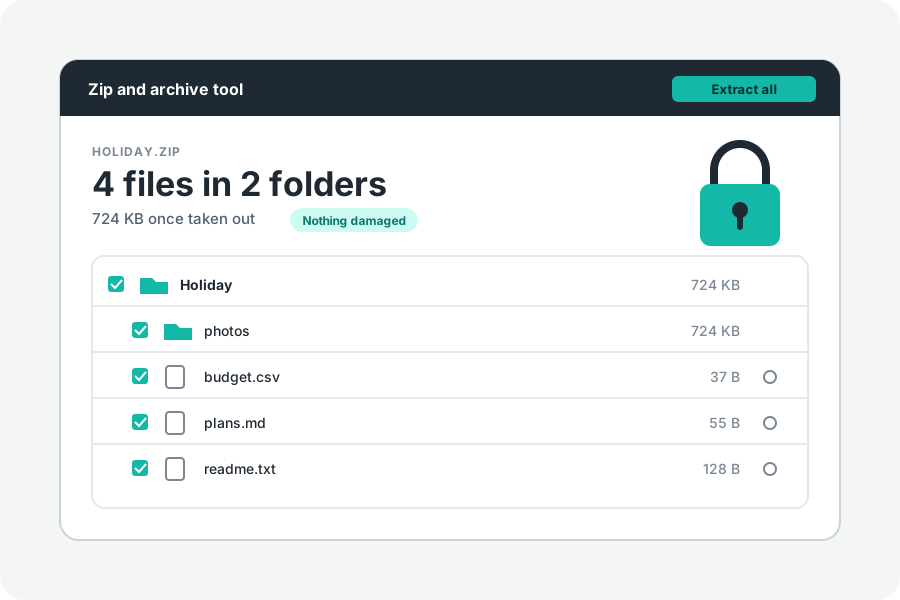
“CRC failed”, “bad CRC”, “the archive is corrupt”: they all mean the same thing. A file came out of the archive different from the file that went in. Here is what the check is, how to run it in your browser, and what to do when it fails.
What a CRC is.
When a file is put into a ZIP, the program works out its CRC-32, a 32-bit number made from every byte, and stores it beside the file. When the file is taken out, the number is worked out again. If the two differ, at least one byte has changed.
A CRC can say that something changed, but not where, and it cannot put it right. Files locked with AES in WinZip's usual way store no CRC; an authentication code checks them instead. A .gz file carries a CRC-32 and the length of what it holds.
How the check works here.
Open Test a ZIP file and drop the archive: the check starts by itself. In the Zip and archive tool, press Check for damage. Every file is read to its end, nothing is written, and the page sums it up, such as “All 42 files are fine”, or names each file that is not, with the reason: its checksum does not match, its packed data cannot be unpacked, it is not the size the archive says, or its data is not where the archive says, as when an archive was cut short.
Locked files are checked once you give the password, and passed over until then. TAR and .gz files are checked too: a tar.gz is read through to its end, so the whole archive is checked, and the check stops at the first damage.
Files are also checked whenever they are taken out. One whose check fails is not saved, and the page names it.
Where damage comes from.
Most often, a download that did not finish. A ZIP keeps its list of files at its end, so an archive cut short may not open at all; the page then says it is not a ZIP file or its end is missing. A copy to a failing USB stick or card, or a program that changed the file's bytes on the way, does the same.
With ZipCrypto, a wrong password can look like damage. The page then says the password may be wrong or the file damaged.
What to do.
Download it again, if you can on another connection or in another browser, and compare its size with the size the sender gives. If it is still damaged, ask whoever sent it to make the archive again and send it once more; Apple's help says the same.
Each file is checked on its own, so when only some are damaged, the others still come out whole. Untick the damaged ones and take out the rest.
It names damage; it cannot undo it.
A checksum cannot bring lost bytes back. The tool tells you which files are whole, takes those out, and leaves the damaged ones for a fresh copy.
When a ZIP will not open at all because it was cut short, Repair a ZIP looks for the files still in it and saves them as a new ZIP, each one checked, and says which were left out.
Further reading
- APPNOTE.TXT: the .ZIP file format specification, PKWARE (opens in a new tab)
- AES encryption information: encryption specification AE-1 and AE-2, WinZip (opens in a new tab)
- RFC 1952: GZIP file format specification (opens in a new tab)
- Zip and unzip files and folders on Mac, Apple Support (opens in a new tab)
Topics: zip crc error · test zip file · check zip for errors · corrupted zip · damaged zip file · crc failed zip · zip integrity check · verify zip online
A little less theory. A little more doing.
Try it on your own terms, with a free browser tool.
Try the tool