

Your signature as a picture, on a clear background.
Make a signature in your browser, nothing uploaded: draw it, type it in a handwriting font or take it from a photo, and download a PNG with a clear background.
By Suraj Kumar3 min read
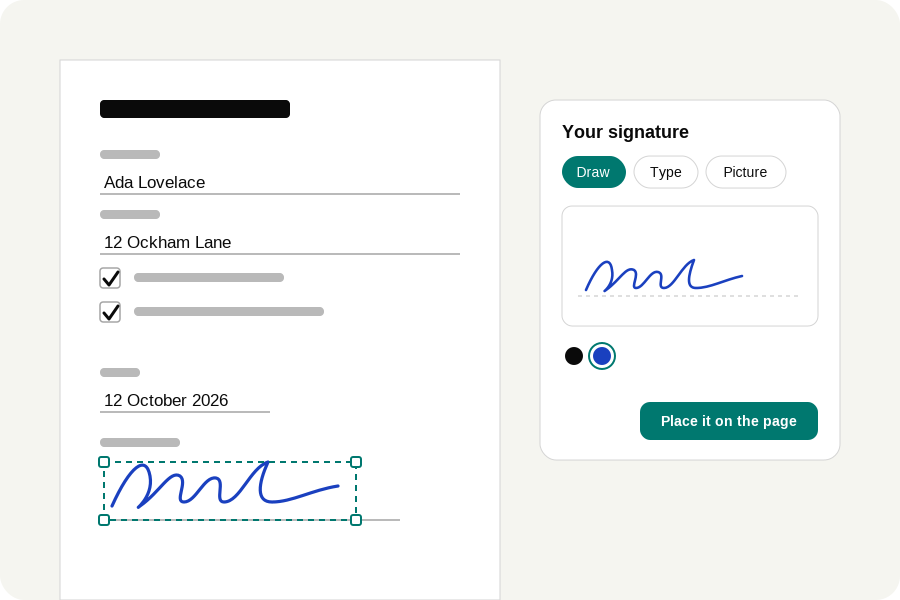
A letter in Word, an email footer, a form made in a design app: each wants a picture of your signature to drop in. The signature generator makes one in your browser, in the PDF editor's own signature window, and gives it to you as a PNG whose background is clear, so it sits on any page without a white box round it.
Draw it, type it, or photograph it.
Press Make a signature and choose Signature or Initials. Draw it with a mouse, a finger or a pen: it is kept as strokes, so it stays smooth. Or type your name and choose one of four handwriting fonts, Great Vibes, Sacramento, La Belle Aurore or Kalam, which needs no steady hand.
Or sign a sheet of plain paper, photograph it and choose the photo: the paper is taken out, only the ink is kept, and the picture is cut close round it. Light, even paper works best.
A PNG with a clear background.
When it looks right, press the window's button: the signature is shown on a checked background, so you can see its clear parts, and Download PNG saves it as signature.png, or initials.png. A drawn or typed signature is drawn at four times the size it takes on a PDF page, with a little clear space round it, so it stays sharp when made smaller.
The ink is black, with blue a press away under More options, for a drawn or typed signature. One taken from a photo keeps the colour of its own ink.
A picture, not a digital signature.
This is a picture of your signature, like signing paper and scanning it. It is not a digital signature, carries no certificate and proves nothing about who signed: anyone who has the file can paste it anywhere, so send it only where it is needed. When a document must be signed in a way that can be checked, ask the receiver what they accept.
To sign a PDF you do not need the PNG at all: Sign PDF opens the same window and places the signature straight onto the page, on your device.
Kept only if you ask.
The signature is made and drawn in your browser. Nothing is uploaded, and the photo of your paper never leaves your device.
The window can remember the signature in this browser for next time, only while its switch is on, and the switch starts off every time the window opens. Otherwise nothing is kept when you leave.
Further reading
Topics: signature generator · online signature maker · draw signature online · type signature online · signature png · transparent signature · handwritten signature font · signature for documents
A little less theory. A little more doing.
Try it on your own terms, with a free browser tool.
Try the tool