

Everything on the page, nothing to change.
Flatten a PDF in your browser, nothing is uploaded: form fields and comments are drawn into the page, so the file looks the same but can no longer be filled in.
By Suraj Kumar3 min read
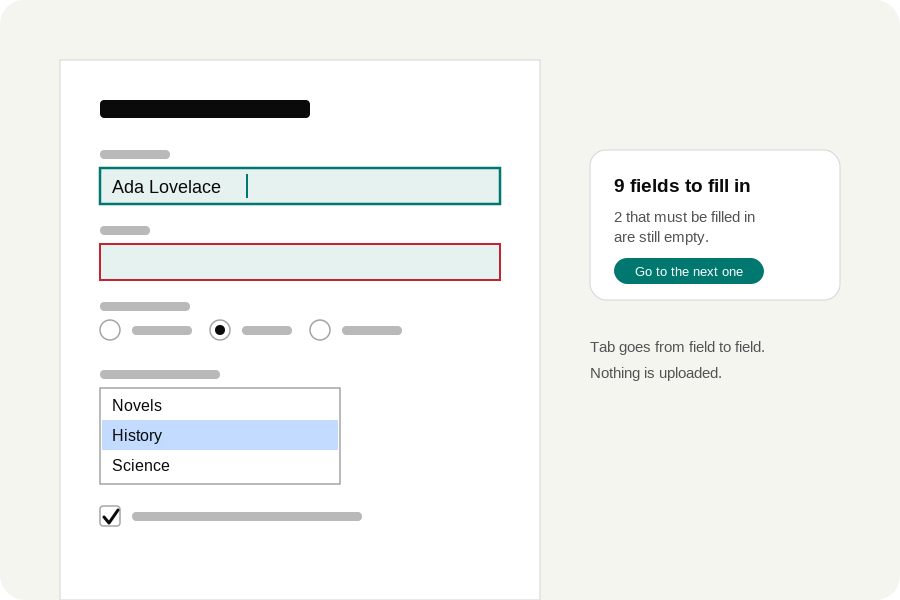
Flatten PDF opens straight on the download, with form fields and comments set to become part of the page. Drop a file, read what will happen, and press one button. Here is what flattening changes, and what it does not.
What becomes part of the page.
What each form field holds, and every highlight, stamp, drawing and note, is drawn into the page where it was, and the field or comment itself is taken away. The page looks the same in every program, but there is nothing left to fill in, tick or answer.
Links stay links, since they are how a reader moves through the file. A note keeps its icon; the words inside it are no longer shown, so copy them out first if they matter.
Flatten a PDF.
Open Flatten PDF and drop the file. The card says how many fields and comments will be drawn in. Press Flatten and download. The file is written, opened again and checked: no field may be left, and pages that held nothing to flatten are compared with the file as it came.
To fill a form in first, press Open the editor, type in its fields and sign, then download. What you added is drawn in with everything else.
Signed files and what flattening is not.
A digitally signed file is written after its signature, so that the signature still holds, and nothing is drawn in that way. To flatten it, choose to write the file anew; the page says first that its signature will no longer hold.
Flattening is not a lock. Anyone with a PDF editor can still change a page's content. To stop a file being opened, set a password; to take something out for good, redact it.
Your answers stay with you.
The file is opened, flattened and checked in your browser, and nothing is uploaded. Keep a copy with its fields if you may need to correct the form later.
Joining several filled forms into one? The PDF merger can flatten their fields as it joins them.
Further reading
Topics: flatten PDF · flatten PDF online · flatten annotations · flatten form fields · make PDF not editable · flatten PDF free
A little less theory. A little more doing.
Try it on your own terms, with a free browser tool.
Try the tool