

One PDF, the file you need.
Convert a PDF in your browser, with nothing uploaded: to Word to edit, Excel tables, JPG or PNG pages or plain text, or Word to PDF, each result checked.
By Suraj Kumar4 min read
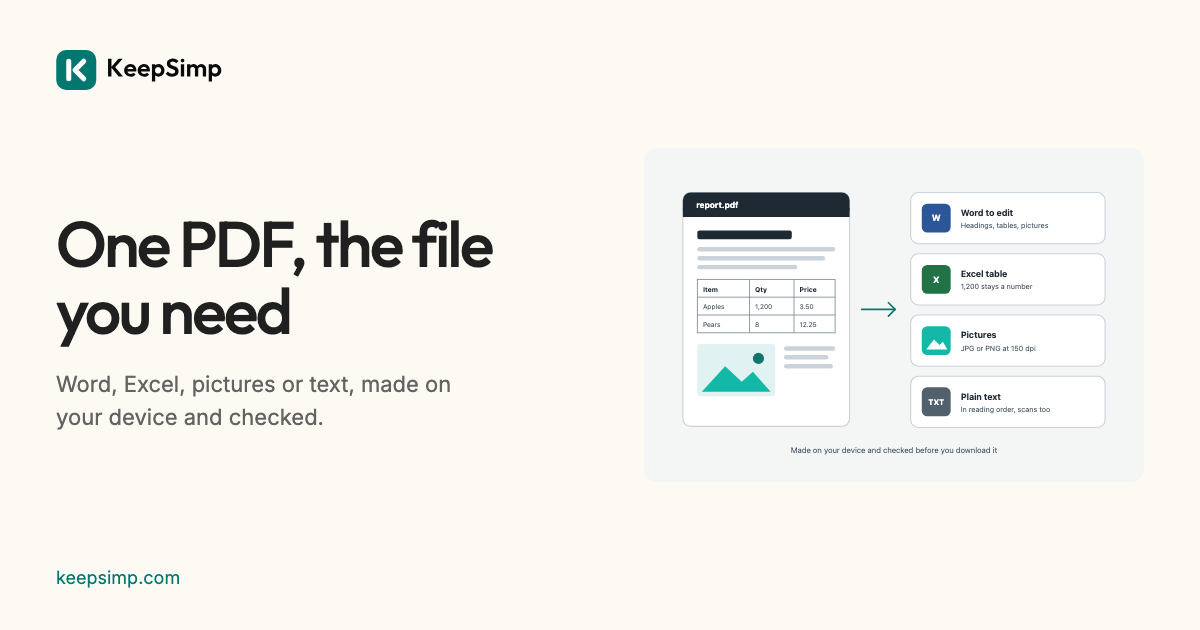
A PDF is made to be read, not changed. When you need its words in Word, its tables in Excel, its pages as pictures or its text in an email, the PDF converter makes the file on your device and checks it before you download it.
Say what you want, then add the file.
The converter asks one question: what do you want to get? Word to edit is the usual answer. Excel table takes the tables out, Pictures draws the pages as JPG or PNG, Plain text gives the words alone, and PDF from Word goes the other way. Add the file, choose all pages or some, and press the big button.
Read the way the page is read.
MuPDF reads each page as its parts: the order its columns are read in, its paragraphs, and its tables, found by their ruling lines and by how their words line up. Every run of words keeps its font, size, weight, slant and colour. From that, the converter writes a Word file with the docx library, a workbook of its own, pictures, or text.
Lines that repeat at the top and foot of most pages, and page numbers, are left out of a Word file and text unless you keep them, so they do not stand in the middle of the words.
Every result is opened again.
Before a file is offered it is read back: a Word file by mammoth, which shares no code with the writer, its words compared with what was meant to be in it; a workbook unzipped and its cells compared; every picture decoded by the browser and its size compared; a PDF opened again with all its pages and its words. A result that does not read back is not offered.
What it cannot do.
A Word file made from a PDF flows: Word lays its words out again, so the layout may differ from the PDF. A scanned page has only a picture of its words; turn on Read scanned pages (OCR) to read them, and check what was read. Excel and PowerPoint files cannot be made into PDFs here yet.
Your file never leaves your device.
The PDF or Word file is read and the result is written in your browser. Nothing is uploaded, there is no account, and nothing is kept when you leave.
Further reading
Topics: PDF converter · PDF to Word · PDF to Excel · PDF to JPG · PDF to PNG · PDF to text · Word to PDF · convert PDF without uploading
A little less theory. A little more doing.
Try it on your own terms, with a free browser tool.
Try the tool