

A scanned page, made into words you can edit.
Turn a scanned PDF into a Word file in your browser, with nothing uploaded: its words are read by OCR on your device and written as paragraphs you can edit.
By Suraj Kumar4 min read
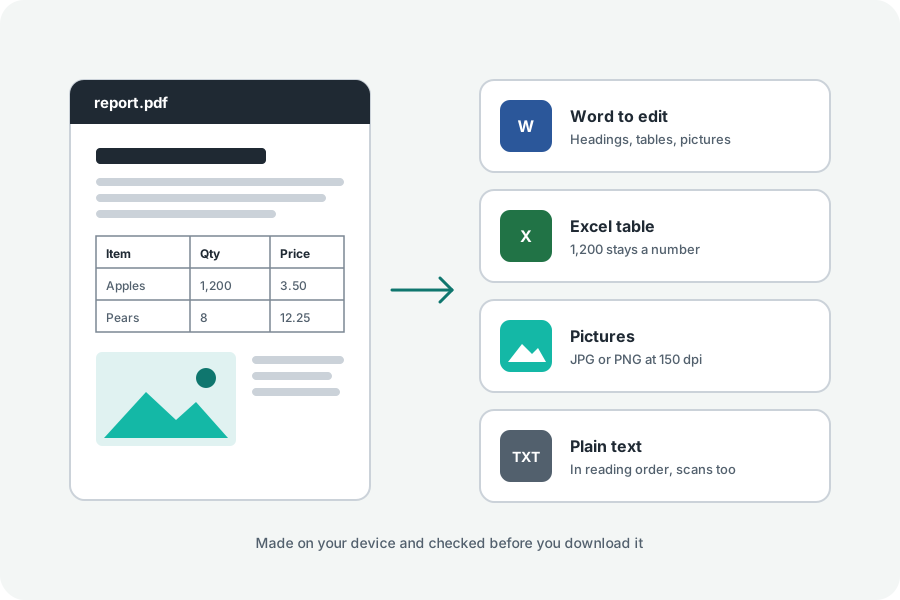
Convert a scanned PDF to Word with an ordinary converter and you get a Word file with a picture in it, or an empty page. A scan holds a photograph of the words, not the words. To edit them, they have to be read first. Here is how to do that on your own device.
Turn on OCR before you convert.
Open PDF to Word and add the scanned PDF. Under More options, turn on Read scanned pages (OCR) and choose the language the pages are written in; the one your browser uses is offered first. Then press Make the Word file.
Pages with no letters of their own are drawn and read by Tesseract, an open-source recogniser running in your browser. The first time, Tesseract and the language are loaded from this site and kept, so later runs work offline. Pages that already have text are converted as usual, so a file that mixes typed and scanned pages comes out whole.
What you get, and what you do not.
The words read from a scan become paragraphs in Arial, in place of the scan's picture: a line that follows close under the one before joins its paragraph. That makes them easy to edit and search.
The look of the scan is not rebuilt. Fonts, columns and the lines of a table on a scanned page are not recognised, so a table comes out as lines of text, and you may want to set it again in Word. The result names the pages that were read, how sure the reading was, and that OCR can misread.
Read it through before you rely on it.
Clean, straight scans of printed pages read well. Faint copies, small print, handwriting and pages photographed at an angle read worse: a 1 can become an l, a name can lose a letter. Look over names, dates and numbers first.
A better scan helps more than anything else. Scan to PDF straightens a page photographed with a phone and can make it black and white, which suits printed text.
When Word is not what you need.
To keep the scan exactly as it looks and still search and copy its words, make the PDF searchable instead: OCR PDF lays the recognised words, unseen, over each page. For the words alone, PDF to text reads scans the same way and gives a plain text file.
Your scan stays with you.
The PDF is opened, read and written in your browser. Neither the pages nor the words found in them are uploaded, and the Word file is read back to check its words before it is offered.
Further reading
Topics: scanned PDF to Word · OCR PDF to Word · convert scanned PDF to editable Word · image PDF to Word · scanned PDF to DOCX · PDF to Word with OCR · scanned document to Word free
A little less theory. A little more doing.
Try it on your own terms, with a free browser tool.
Try the tool