

A wide video, turned upright, with the person kept in it.
Turn a 16:9 video into 9:16 for Reels, TikTok or Shorts in your browser, nothing uploaded: a box follows the person, and you fix any frame by hand.
By Suraj Kumar3 min read
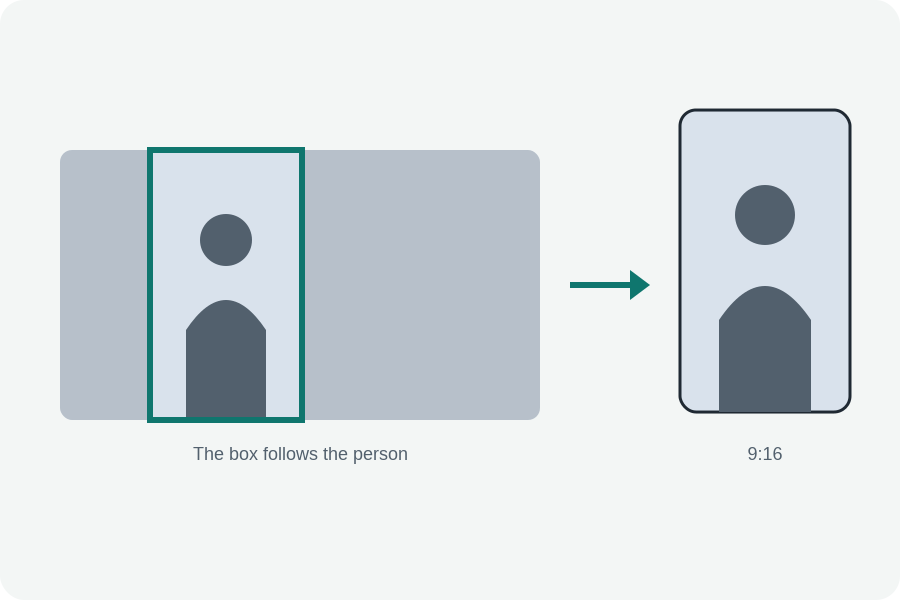
A video filmed wide does not fit a phone held upright. Cropping the middle cuts off anyone who walks to the side; Reframe video moves an upright box over the picture so the person stays in it.
How to turn it upright.
Open Reframe video, drop the video and say where it will go: Reels, TikTok or Shorts for 9:16, a post for 4:5, square, or wide for a video filmed upright. Press Follow the person and the box follows the main person through each shot, jumping at cuts rather than sliding across them.
Then check it. The lane under the time bar shows where someone was found and where no one was, and Next miss goes to each stretch where the box went to the middle. Step there a frame at a time, drag the box where it belongs, and save the video as MP4.
One box, set where you want it.
Wherever you move or zoom the box, that frame becomes a keyframe, and between keyframes the box moves steadily, eased or in a jump. A keyframe you set yourself always wins over the one the follower made. Zooming in more than twice is said to look soft, as the result is then made from fewer of the video's pixels.
What it can and cannot see.
The follower looks for people only, with YOLOX running in your browser; it does not follow a ball, a car or a pet. Where no one is seen for more than half a second the box goes to the middle, and where several people are in the picture it follows the one who fills most of it for longest, which may not be the one you meant: that is what the lane and Next miss are for.
On your device.
The video is read from your disk a piece at a time, so a long one is never copied whole, and it is never uploaded. The box's keyframes are kept only if you turn on the switch to keep them.
Further reading
Topics: horizontal to vertical video · 16:9 to 9:16 · reframe video · auto reframe · landscape to portrait video · video for reels
A little less theory. A little more doing.
Try it on your own terms, with a free browser tool.
Try the tool